Single Touch Payroll (STP) finalisation
After your final pay run for the financial year is complete, and once your payroll records have been reviewed, you can finalise STP in Gimbla. This tells the ATO that the selected employees' year-to-date payroll information is final for that financial year.
STP finalisation is generally due by 14 July each year, unless an extended due date applies.
🧭 Navigate To
👣 Walkthrough
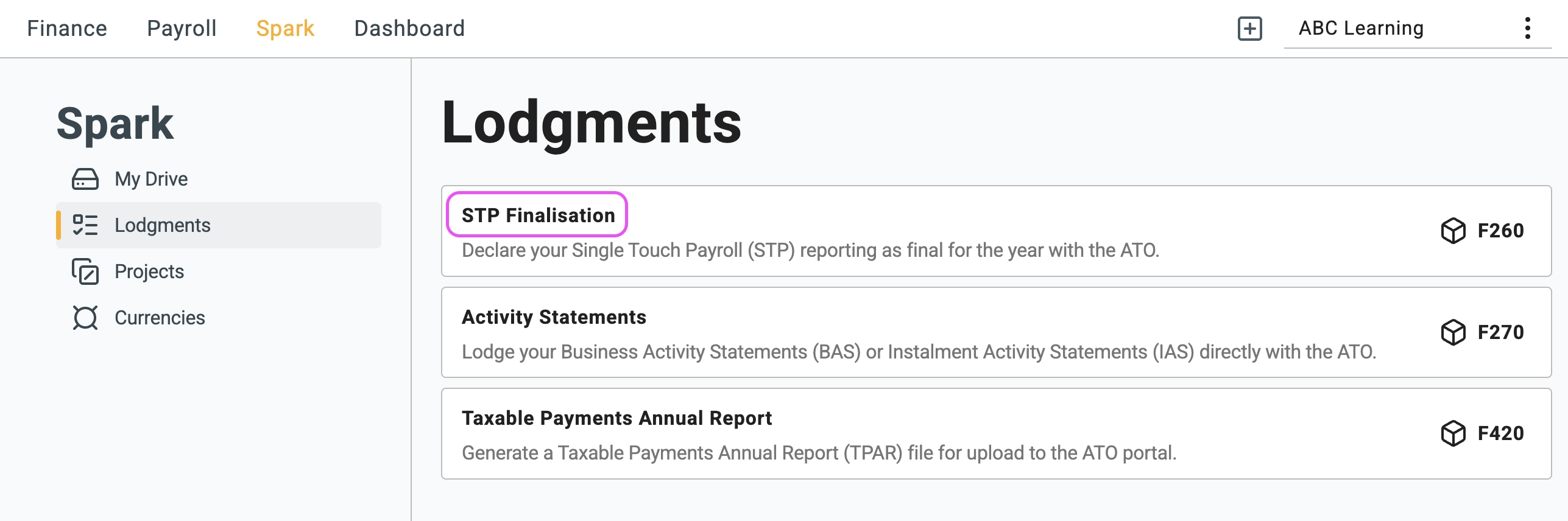
1 Go to the Lodgements menu using the path above, then select
STP Finalisation
.
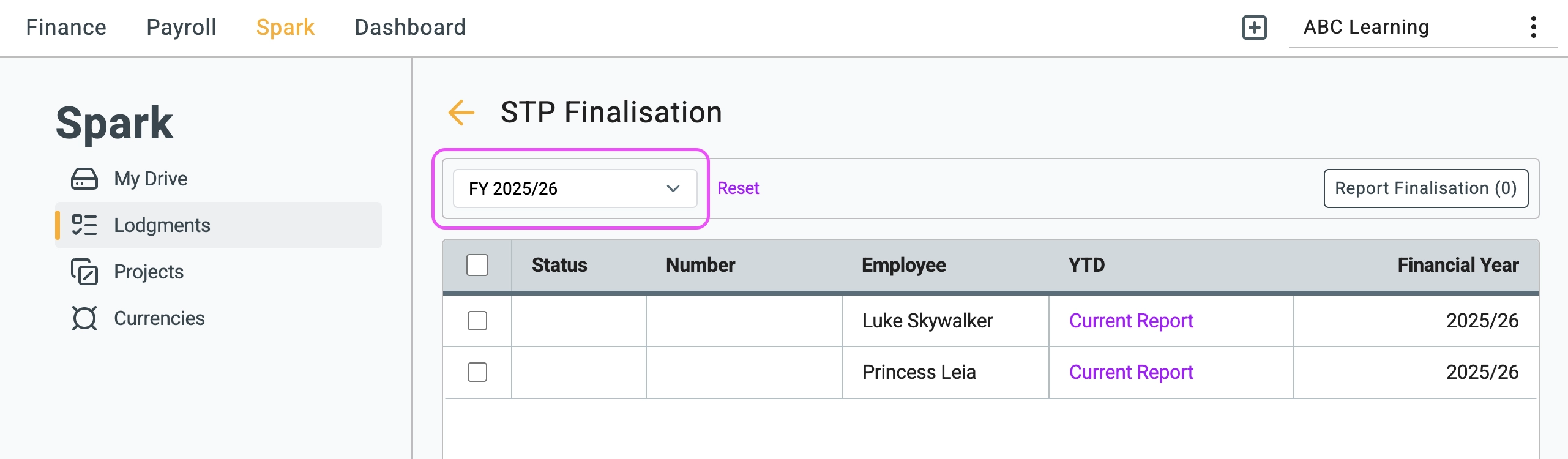
2 Select the financial year you want to finalise from the dropdown list.
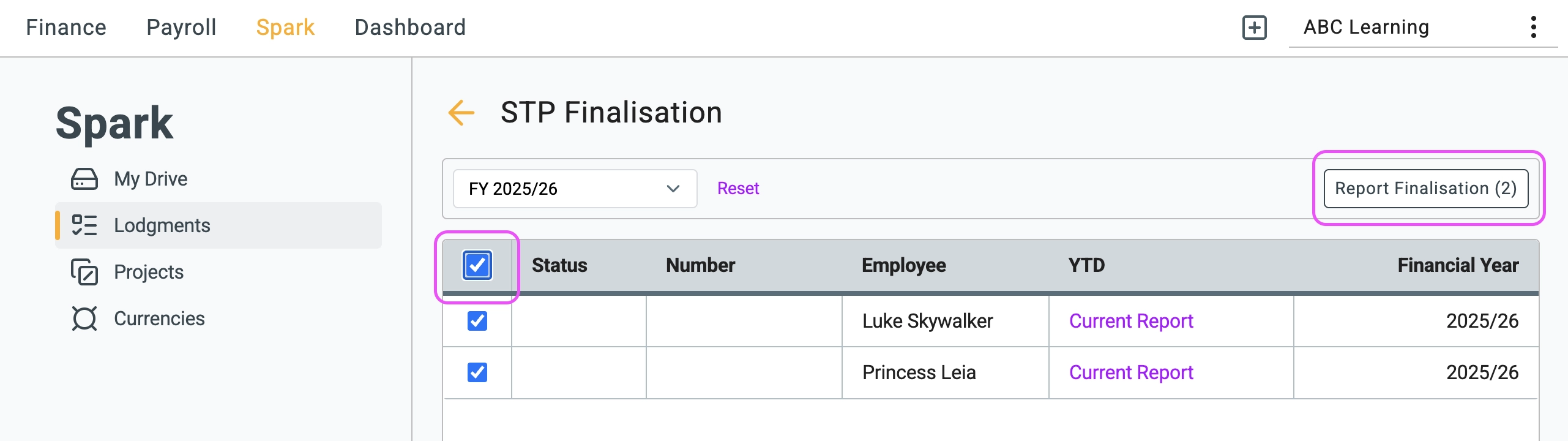
3 Select the employees you want to finalise, then click
Report Finalisation
.
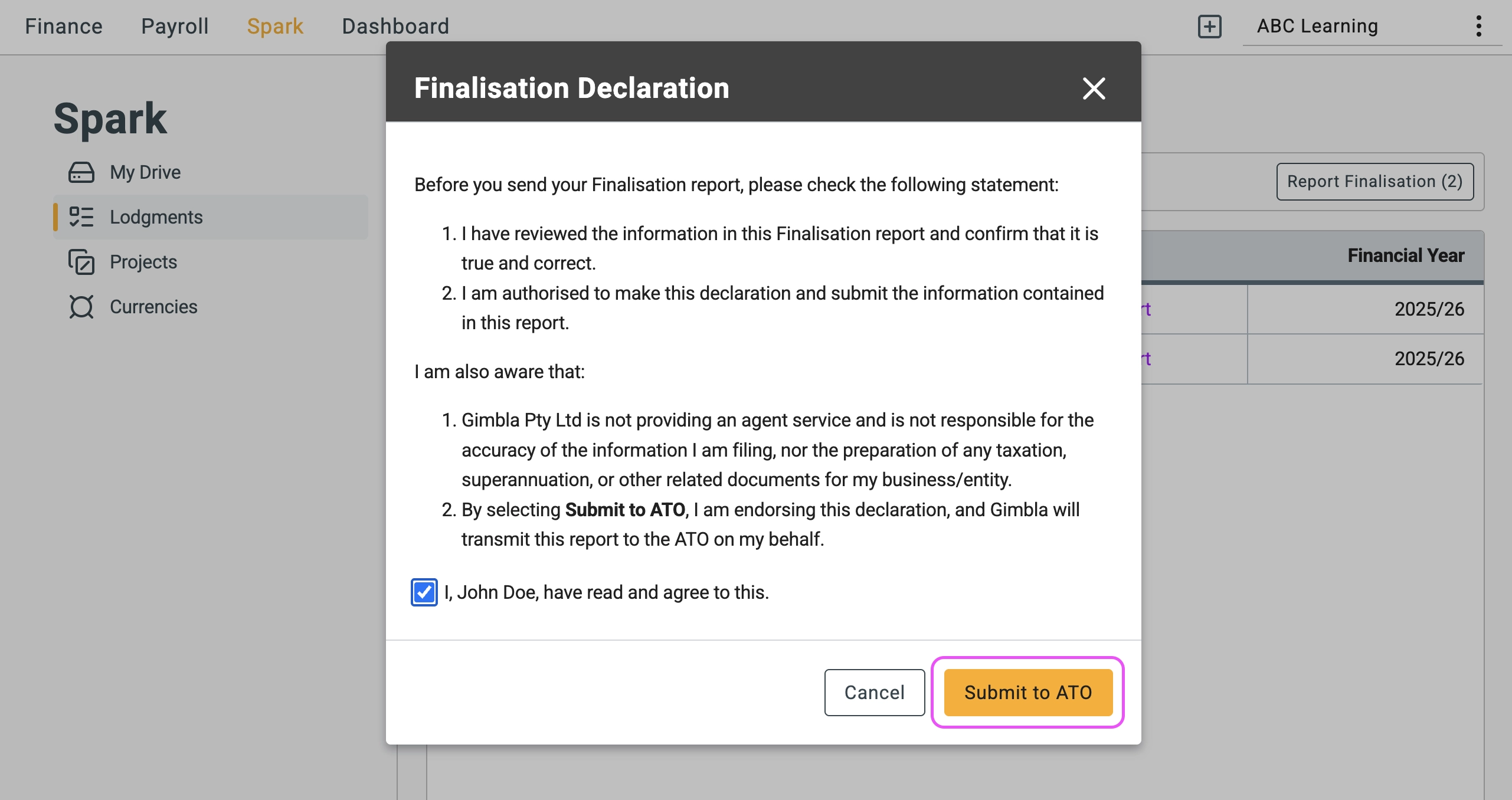
4 Review the finalisation declaration, then click
Submit to ATO
.
🏁 Results
Once the declaration has been successfully submitted, you can open the submitted report from the YTD column to review the information that was reported as final.
📚 Frequently Asked Questions (FAQ)
Can I finalise the data again?
Yes. If employee payroll information changes for the financial year, repeat the same process to send the updated finalisation information to the ATO.
🖇️ Notes
- Review payroll first: Finalise STP only after wages, PAYG withholding, super information, employee details and any required corrections have been checked.
- Employee income statements: After a successful finalisation declaration, employees' income statements can be marked as tax ready through ATO online services.
- Keep supporting records: Save the payroll reports and submitted finalisation report that support the declaration.