Paying super for contractors
If you hire contractors primarily for their labor, they may be considered employees for Superannuation Guarantee (SG) purposes. In these cases, you are required to pay super into their nominated fund, even if the contractor holds an Australian Business Number (ABN).
In this guide, we will show you how to set up a contractor in Gimbla and process only their superannuation guarantee amount without affecting your regular payroll.
Note: Please refer to the ATO guidelines to determine whether or not you are obligated to pay super for your specific contractors.
▶️ Video Tutorial
Prefer to watch? Our video guide walks you through the entire process.
🧭 Navigate To
🏷️ Example: Add an employee as a contractor
1 Click the Add Employee
button from the employee list.
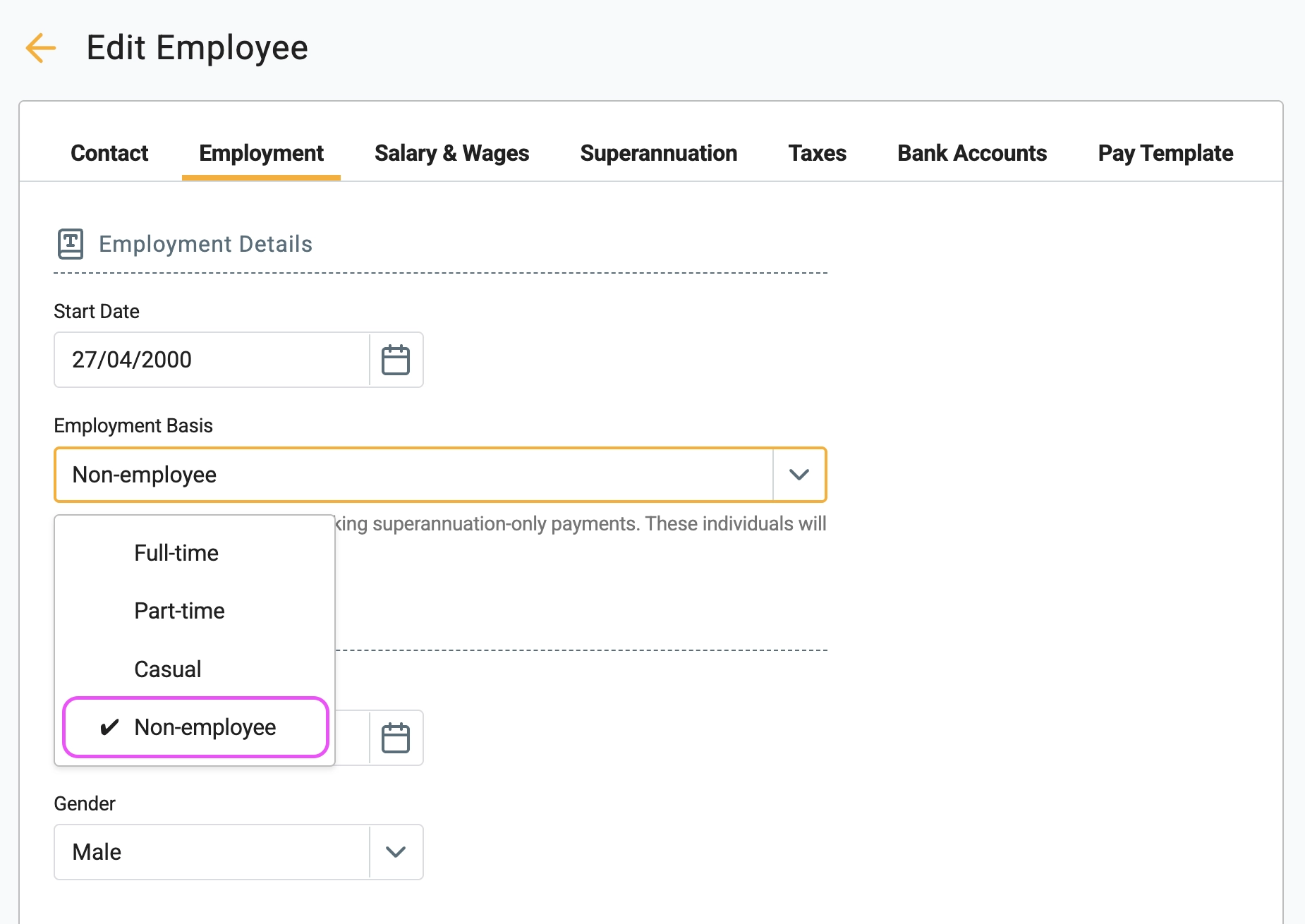
2 Select the Employment Basis as Non-employee
. This is
the most important step, as it ensures the contractor will not be
picked up on standard payroll reports or included in your Single
Touch Payroll (STP) submissions.
3 In the Pay Template
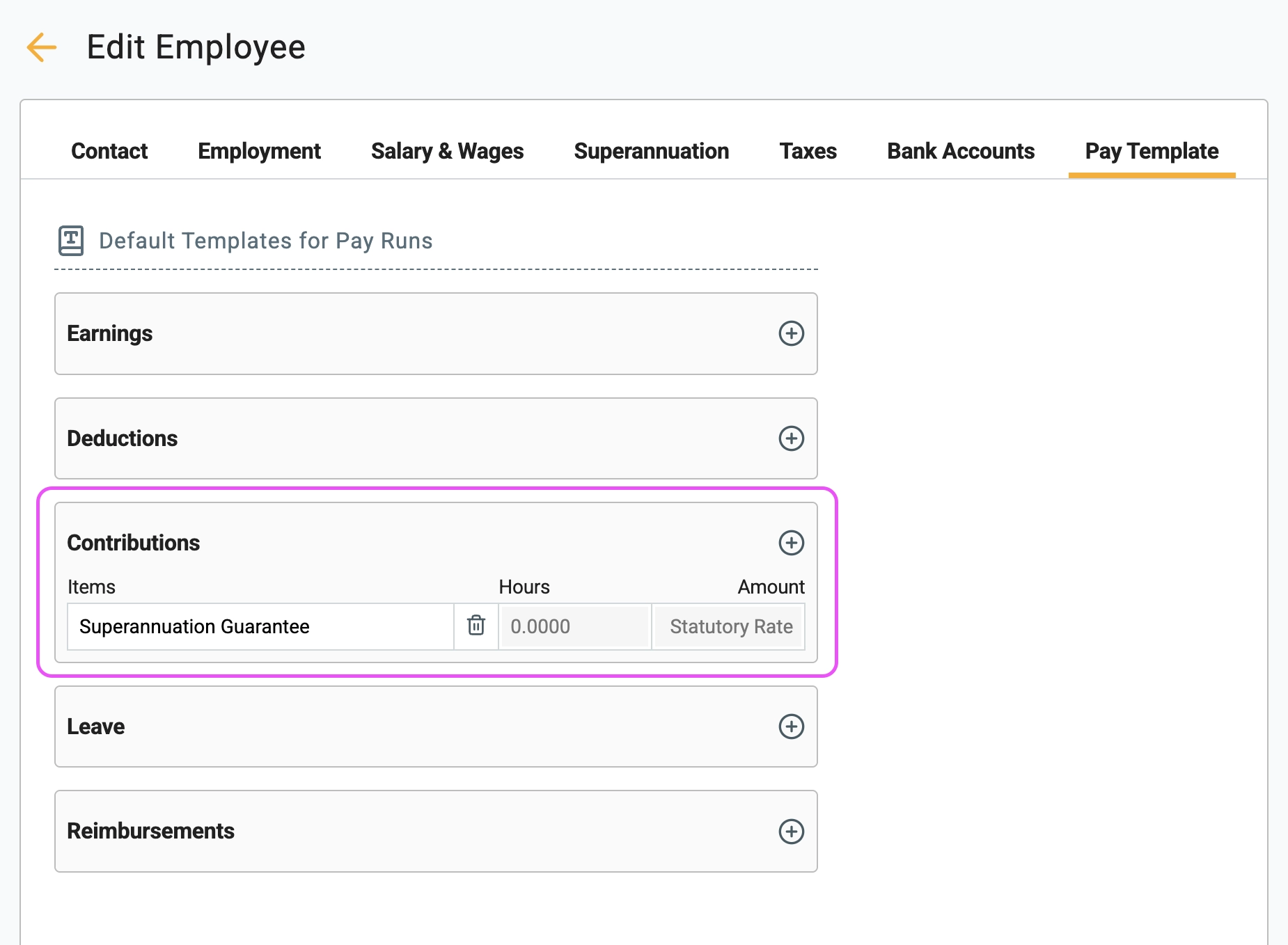
tab, add the Superannuation Guarantee
as an item under Contributions
. This ensures the super amount
is automatically included whenever you generate a pay run.
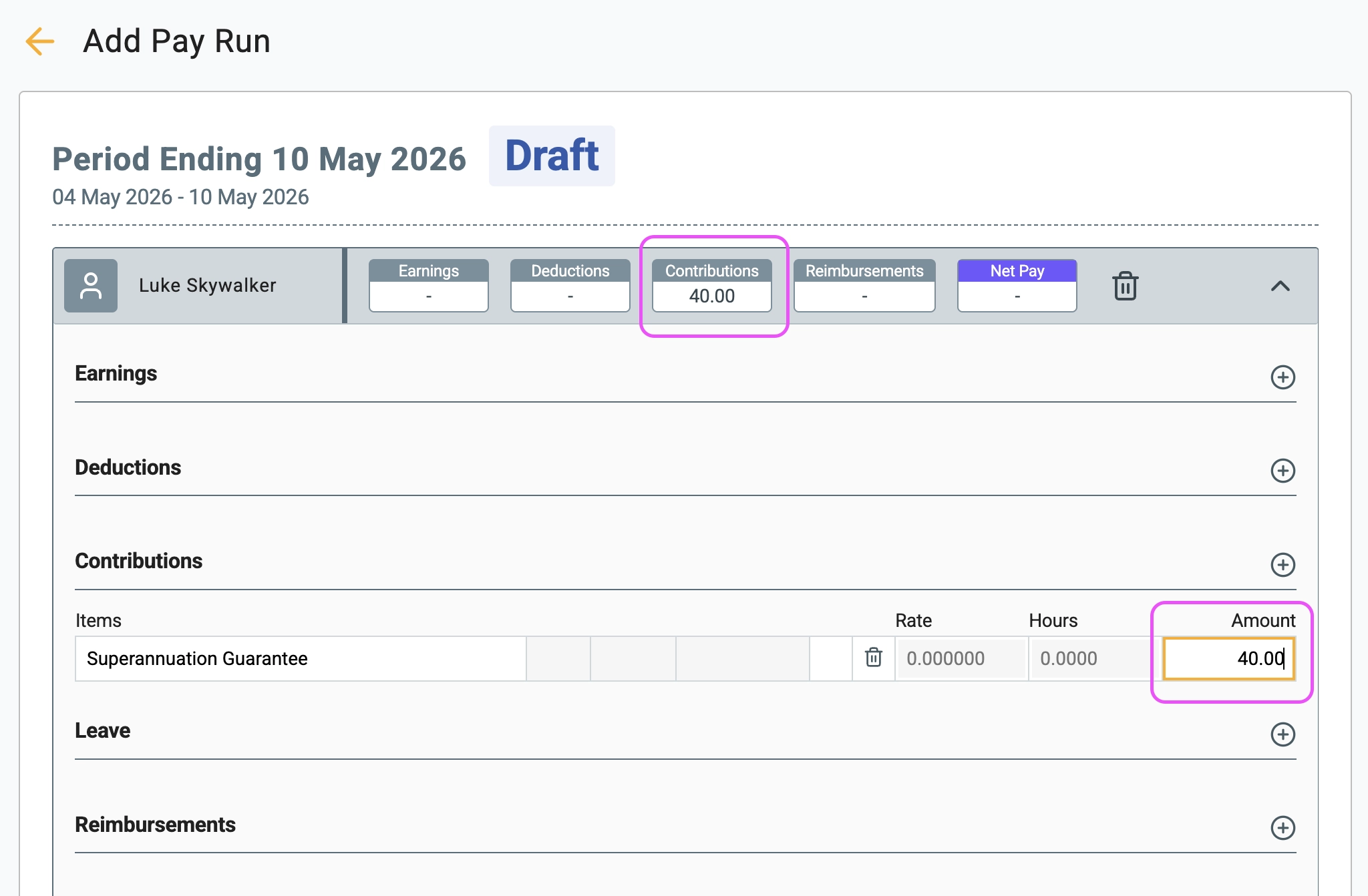
4 When you create a pay run, the contractor will be included alongside your other employees. Here, you can manually adjust the super amount based on their submitted invoice. (Note: The standard SG rate is 12% as of 2026).
5 After posting the pay run, click on Pay Super
. This
will take you directly to the superannuation payment page.
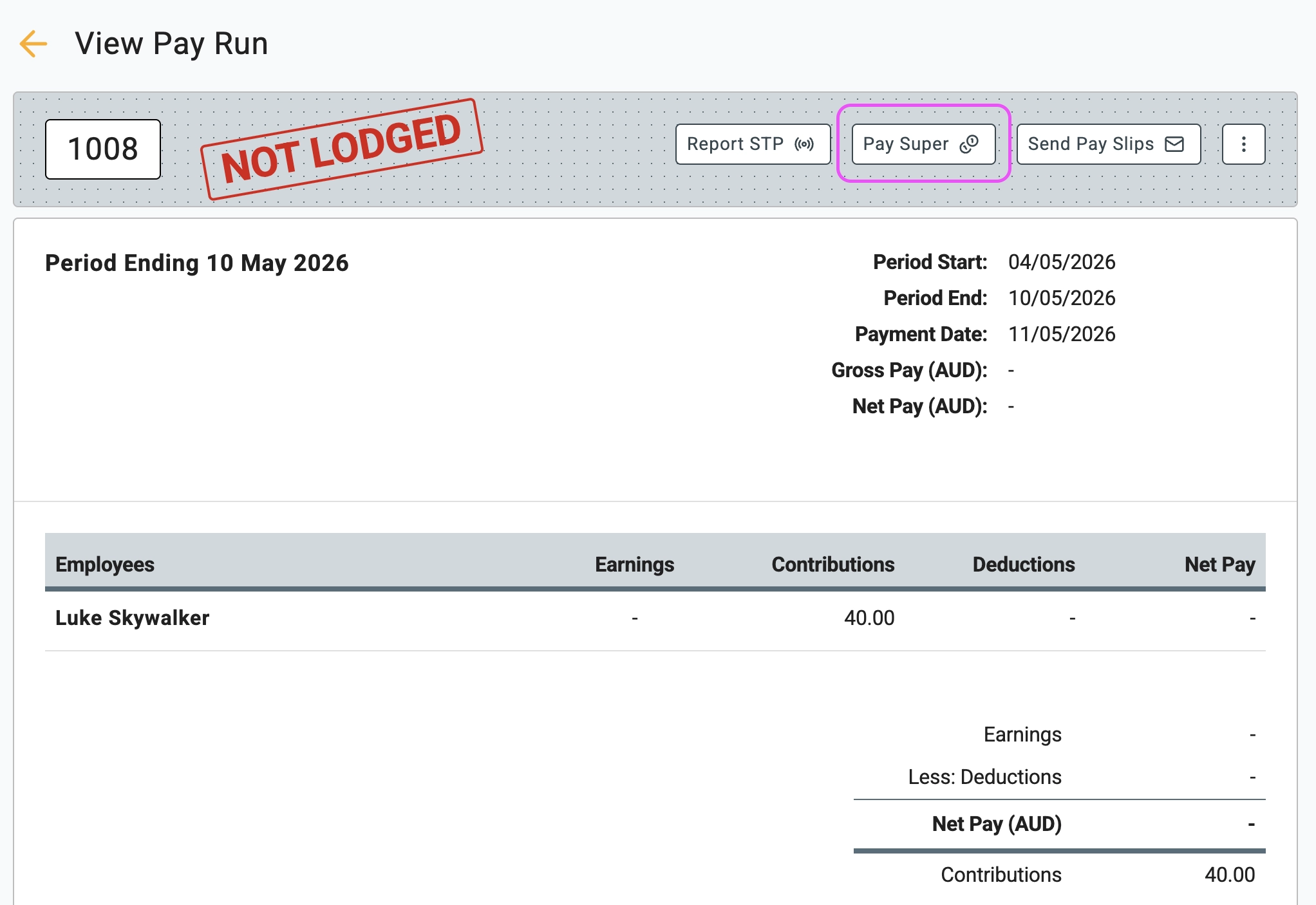
6 Follow the on-screen instructions to submit the super payment. If there are any validation errors, they will be clearly displayed on this screen so you can fix them.
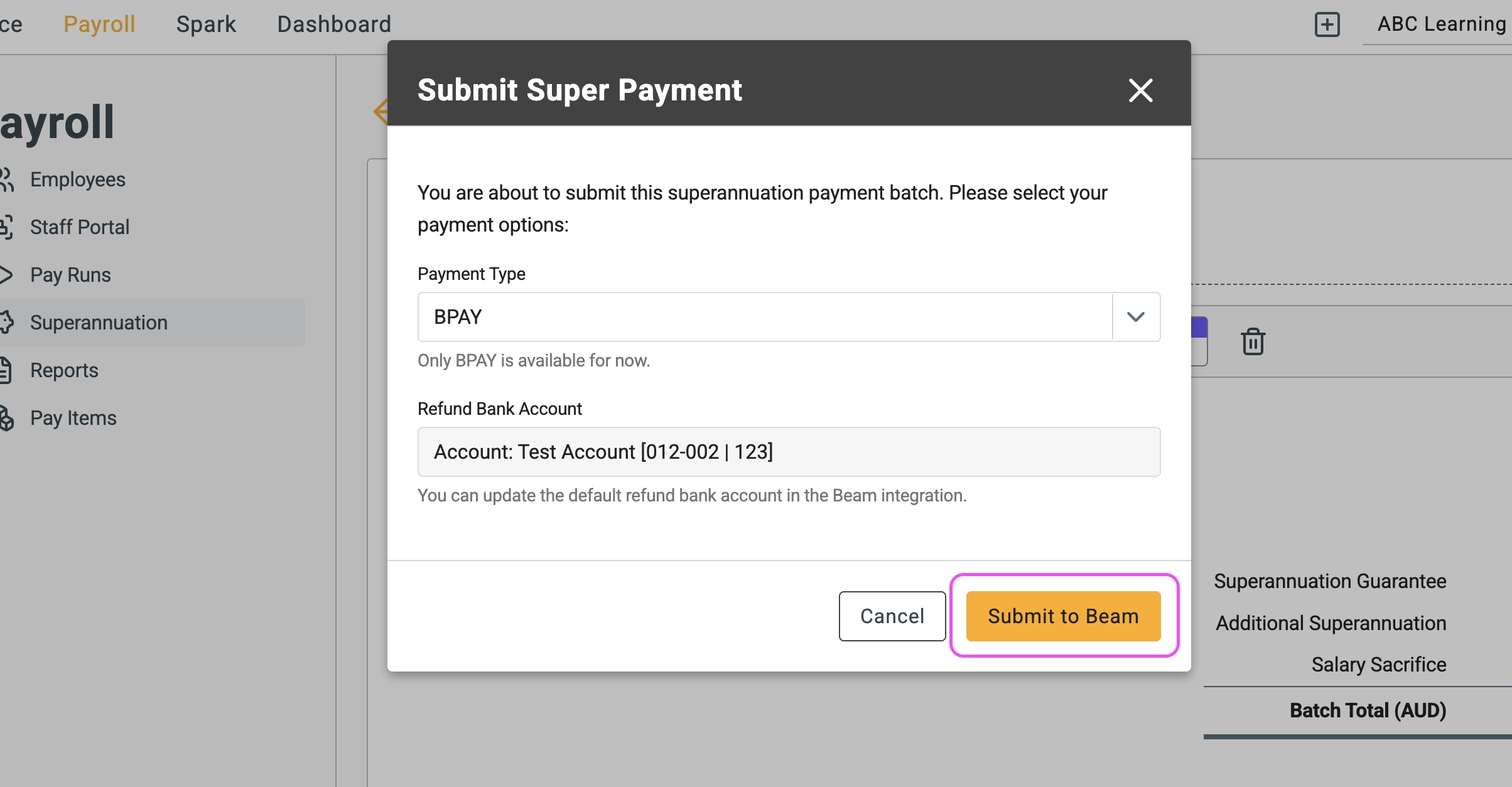
🏁 Results
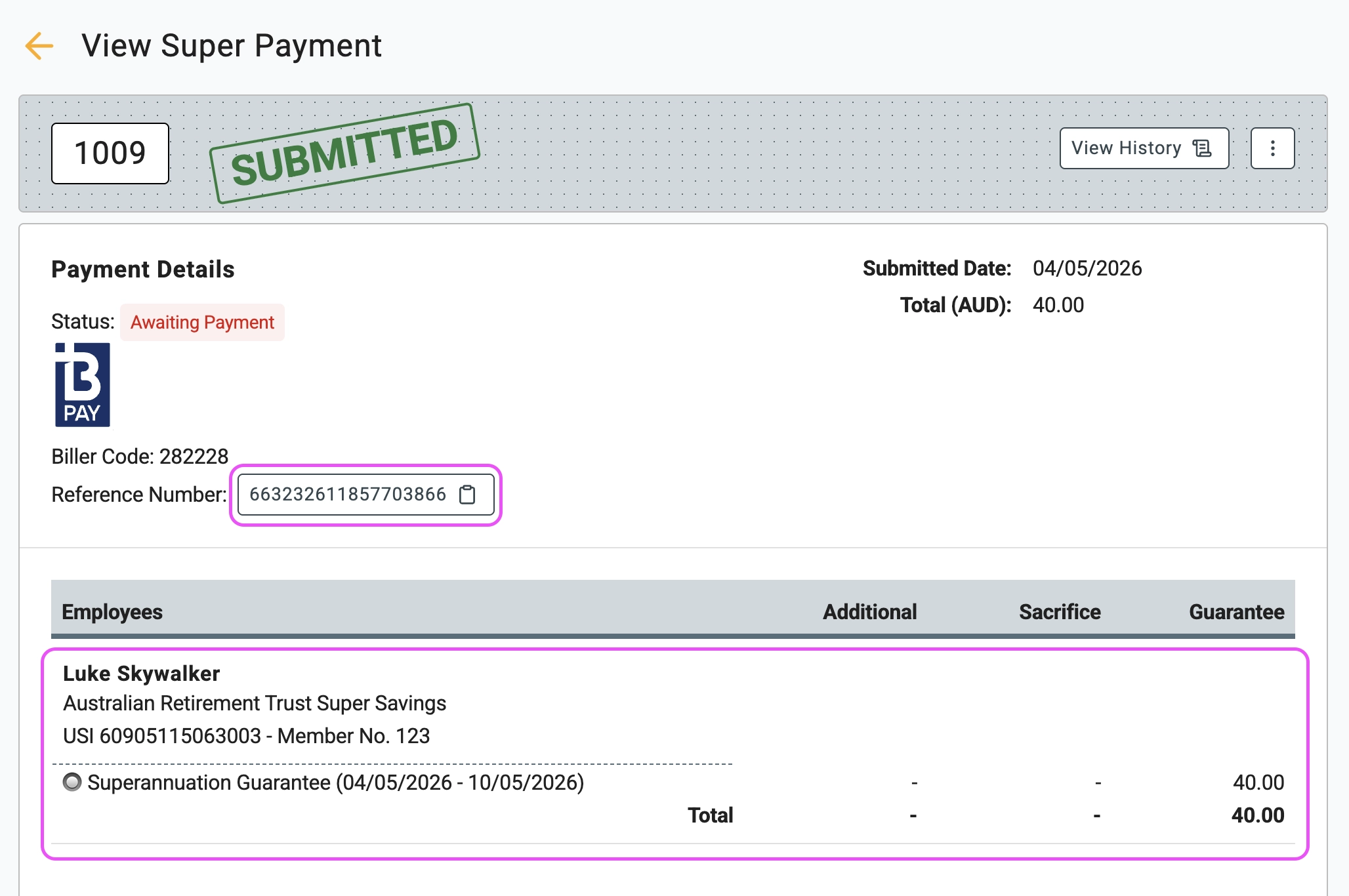
Once successfully submitted, you will receive a reference number to pay the total amount via BPAY. Gimbla seamlessly integrates with Beam as our trusted superannuation clearing house. Learn more about clearing houses in the superannuation clearing house glossary.