Bill Scanner

What A Bill Scanner Does
A bill scanner helps small businesses turn supplier bills into clean accounting records. Gimbla reads PDF bills and bill photos, extracts the supplier, date, totals, GST or tax details, account coding, and attachment, then prepares a draft bill for review before it enters your books.

Why Basic OCR Is Not Enough
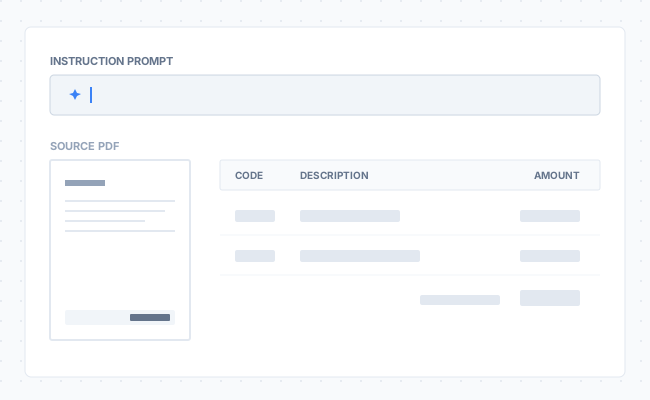
Basic scanners can copy text from a bill, but they rarely understand how the cost should be split, coded, or summarised. Gimbla's AI Smart Bill Scanner adds plain-English instructions so you can split expenses, simplify long bills, separate freight or tax, and apply accounting rules before the bill reaches your ledger.

Where AI Instructions Help
If you deal with shared expenses, complex tax codes, or lengthy supplier bills, AI instructions reduce the manual maths and restructuring that usually happens after scanning. For a broader checklist, read our bill scanner guide for small business.

Get Started

Plus

popular star

Monthly Fee

$19.95 AUD

  • Everything in the Starter Plan

  • Storage for attachments

  • Multi-currency

  • Recurring Invoices & Bills

  • Invoice & Journal Imports

  • Projects

  • Email Support

  • Lodge BAS (AU Only)

  • Payroll & STP Reporting (AU Only) *

  • Connected Bank Accounts (up to 2) ^

See all our features
AI Scan Prompt

Bill Scanner Features

Natural Language Control

Stop navigating complex dropdown menus. Simply type a prompt like "Split this 50/50" or "Summarise this bill," and the AI will execute your instruction instantly. It’s like having a human assistant inside the software.

Automated Cost Splitting

Say goodbye to manual calculations. Whether you need to allocate costs across different departments, locations, or projects, simply tell the AI the percentages (e.g., "30% to Admin, 70% to IT"). The system calculates the amounts and allocates the codes automatically.

Intelligent Summarisation

Don't let 5-page invoices clutter your Profit & Loss statement. Instruct the AI to "Summarise the bill into a single line," and it will consolidate the data while keeping critical items—like Freight or Tax—on their own separate lines for tracking.

Tax & Code Logic

Keep bill coding consistent without the headache. You can instruct the scanner to apply specific tax codes to specific line items, or apply a default General Ledger code to the entire document, so your reporting is consistent every time.

How Gimbla's Bill Scanner Works

Gimbla's bill scanner is designed to make supplier bill entry faster by combining optical recognition with intelligent instruction:

  1. Upload Your Document: Drag and drop your PDF invoice or take a photo via the mobile app to upload it to Gimbla Accounting.
  2. Type Your Instruction: In the "Custom Instructions" field, simply type what you want to happen. For example: "Summarise the bill into a single line but leave freight on the last."
  3. Scan & Execute: Click the Scan button. This triggers our AI to read the PDF document and apply your custom instruction simultaneously.
  4. Automatic Population: In seconds, the system processes the data and automatically populates the bill form. It fills in the Description, Account Codes, Tax Types, and Amounts exactly as you requested.
  5. Ready to Create: With the bill fully populated and balanced, simply review the details and click Create. Your financial record is complete.

Why Smart Bill Coding Matters

Moving beyond basic scanning to instruction-based bill processing changes how you manage expenses. Key benefits include:

  1. Eliminate Maths Errors: Manual percentage splits are a common source of discrepancies. The AI handles the calculation to the cent, ensuring your debits and credits always balance.
  2. Cleaner Financial Reports: By summarising messy invoices into clean, descriptive lines, your financial reports become easier to read and analyse for stakeholders.
  3. Speed & Efficiency: Tasks that used to take 5 minutes—like calculating a three-way split across branches—now take seconds.
  4. Consistent Coding: By using prompts, you ensure that bills are treated consistently month over month, regardless of who is processing them.
  5. Audit Readiness: With freight, tax, and assets separated correctly from the start, your books remain audit-ready year-round.

Scan supplier bills into cleaner accounting records with Gimbla.

Get Started