Record a credit note
Creating a credit note in Gimbla is a straightforward process. Credit notes are incredibly useful for maintaining accurate accounting records when you need to refund a customer or apply a credit balance to an existing unpaid invoice. This helps keep your accounts receivable tidy when an invoice should no longer be collected in full.
🧭 Navigate To
👣 Walkthrough
For this example, we will create a credit note for a total of $22 ($20 base + $2 tax). We will then refund $10 directly to the customer and apply the remaining $12 to an existing unpaid invoice.
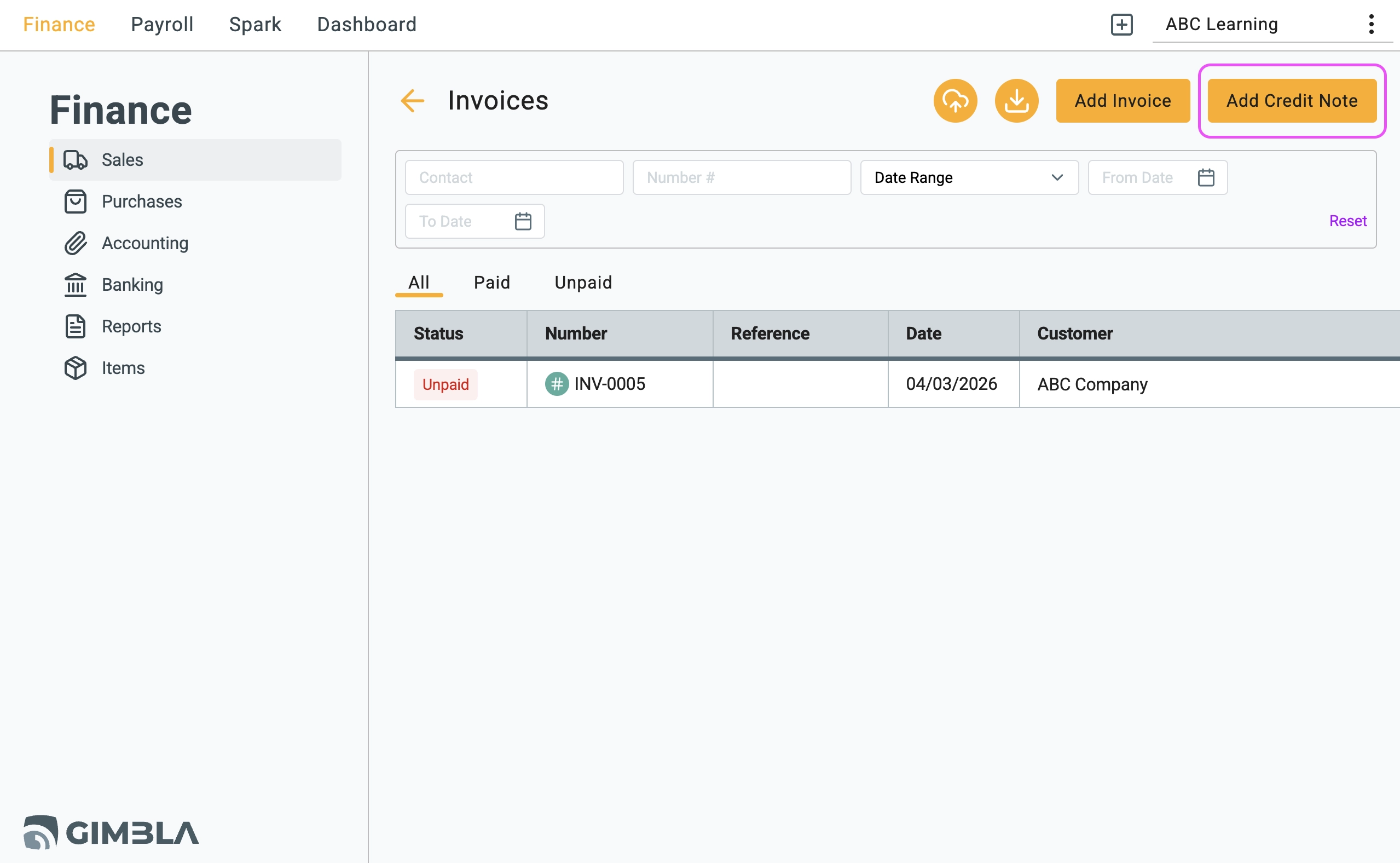
1 Navigate to your Invoices dashboard and click the Add Credit Note
button.
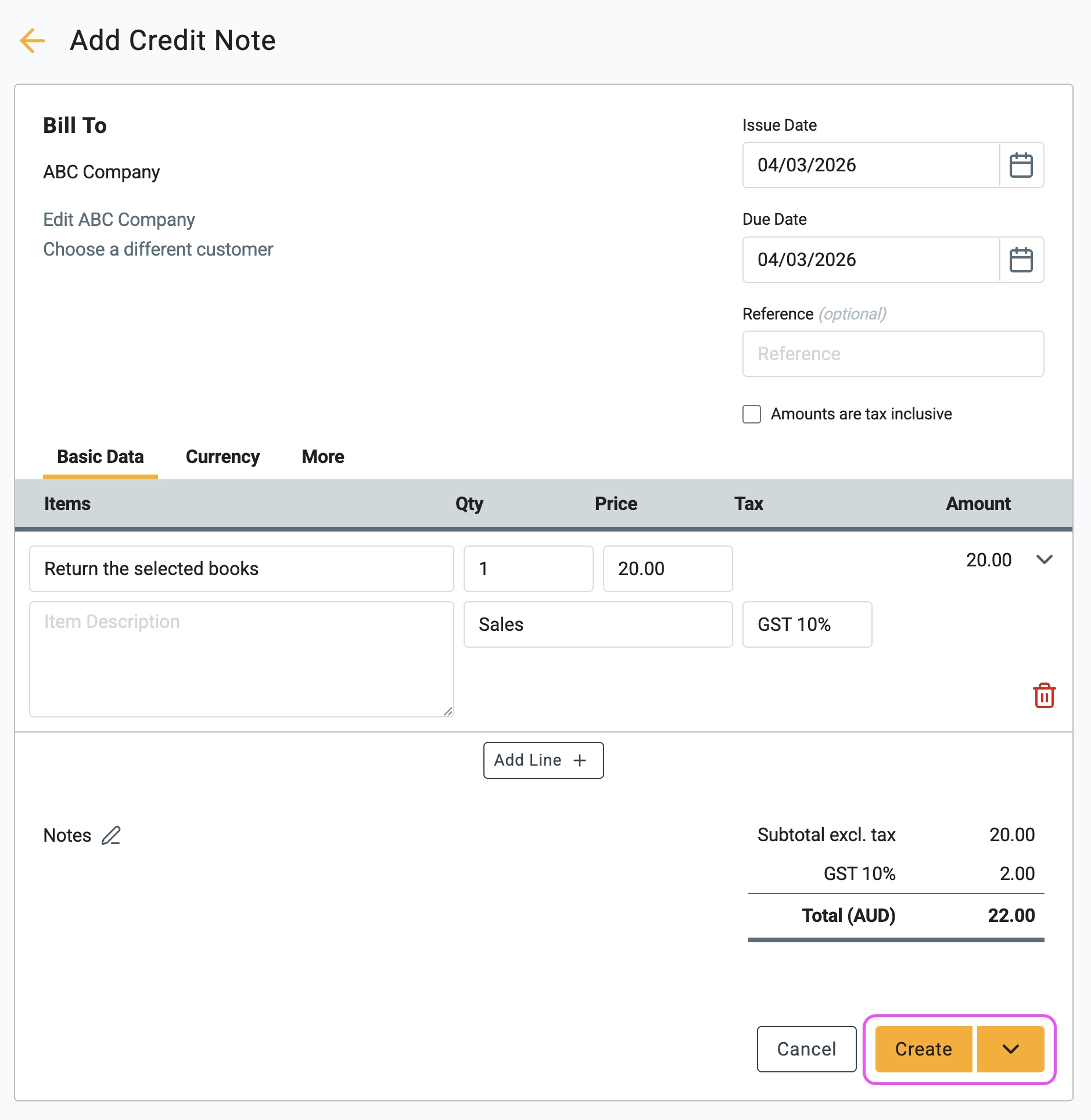
2 Enter the details for the credit note (e.g., $20 subtotal). Click
the Create
button to confirm and generate the document.
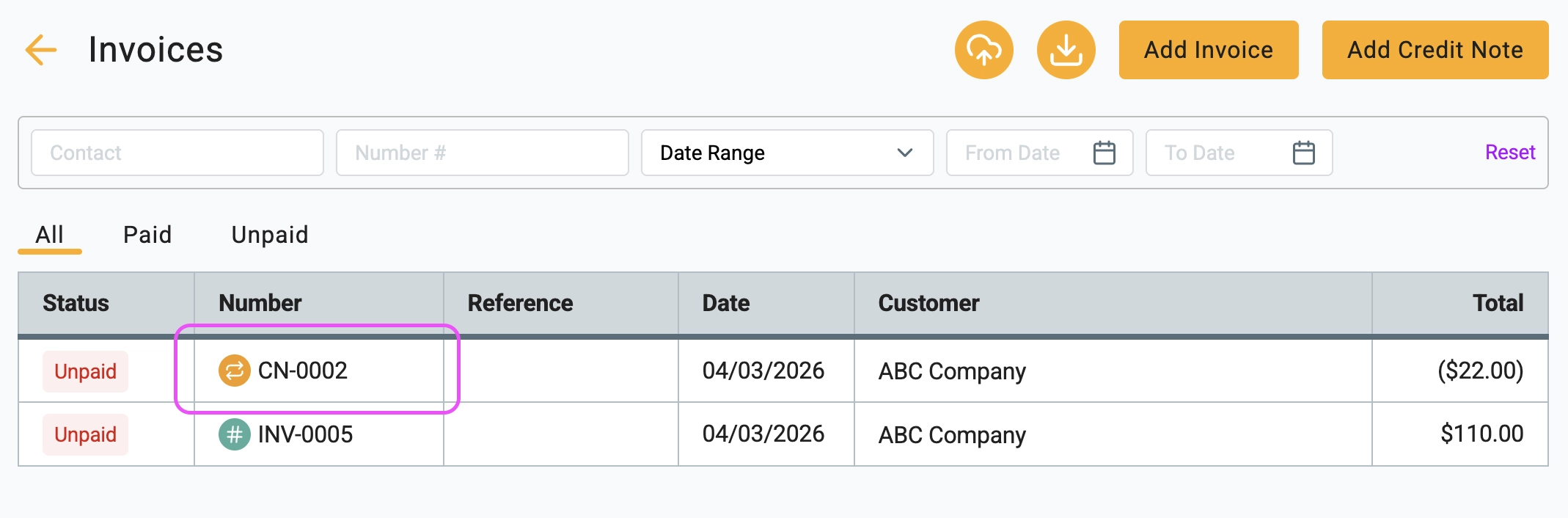
3 Return to your main Invoices list. You will now see two distinct records:
-
The original invoice, which remains marked as
Unpaid
. - Your newly generated credit note document.
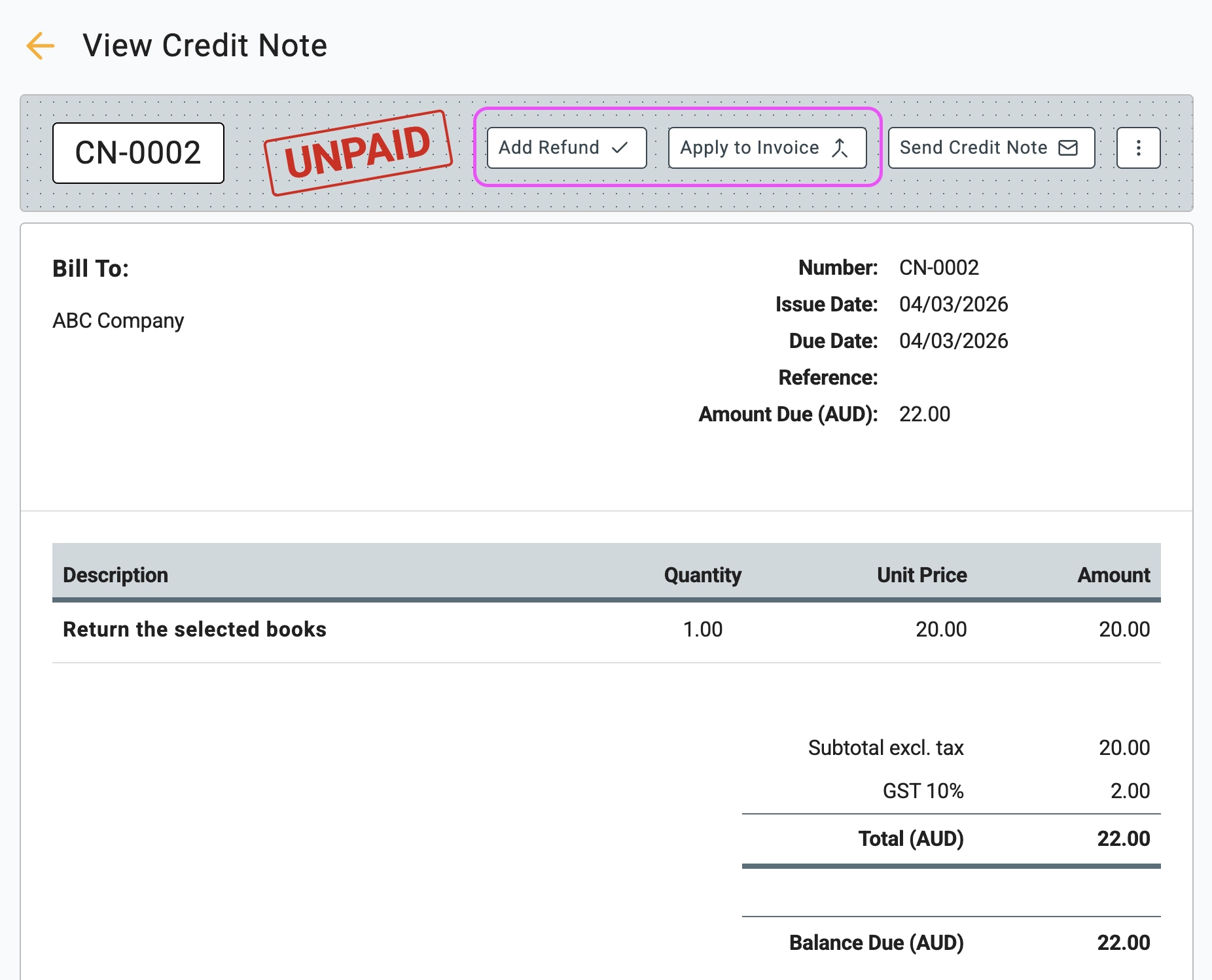
4 Click on the new credit note to open its details. At the top
of the screen, you will see two primary action buttons: Add Refund
and Apply to Invoice
. We will use both.
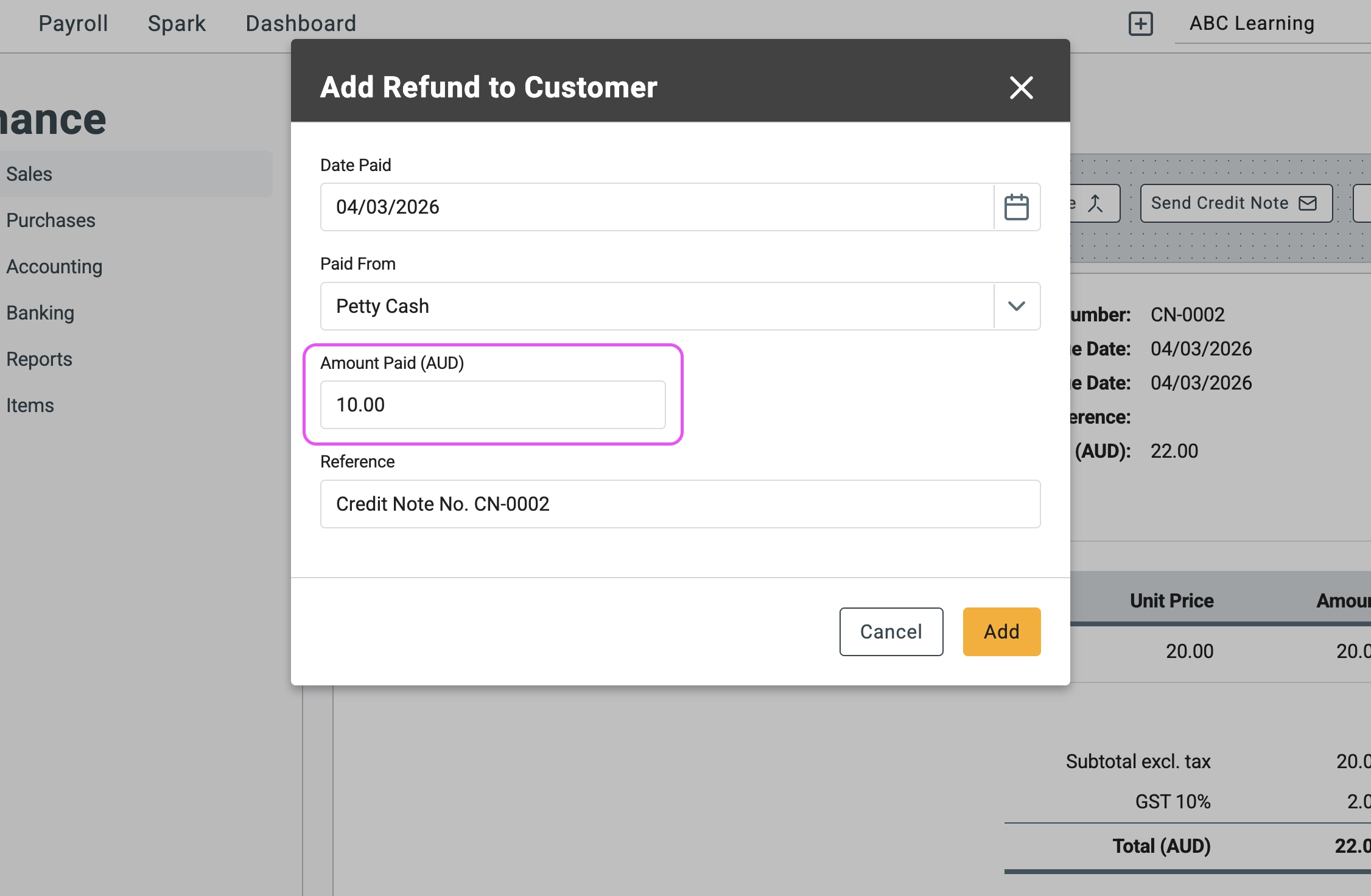
5 First, let's process a partial refund. Click the Add Refund
button. A pop-up window will appear where you can enter the exact amount
you are sending back to the customer. In this case, enter $10 and click
Add
.
6 Next, let's apply the remaining balance to their outstanding
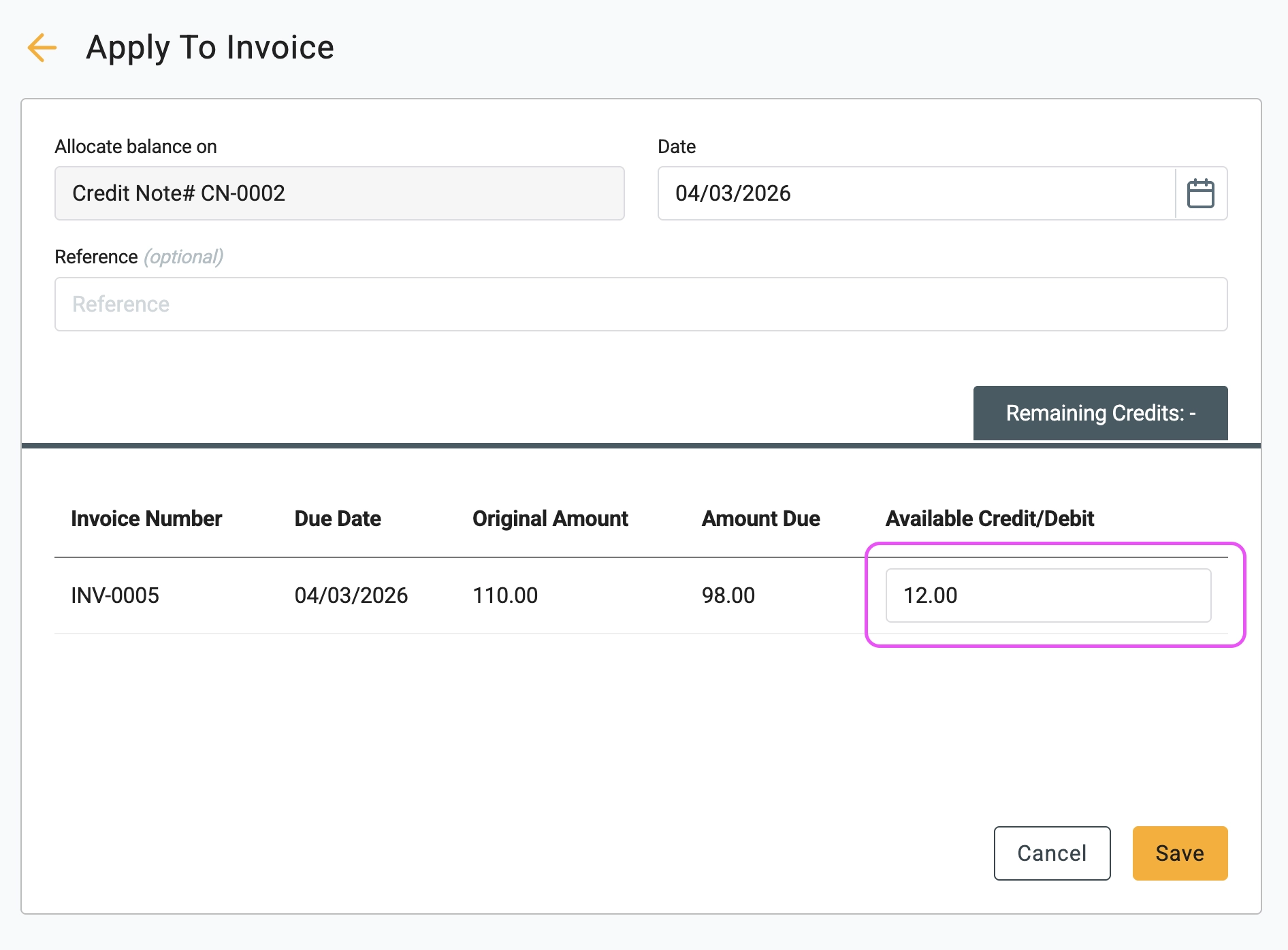
invoice. Click the Apply to Invoice
button. Select the relevant
invoice from the list and enter the remaining $12 to apply the rest of
the credit. Click Save
.
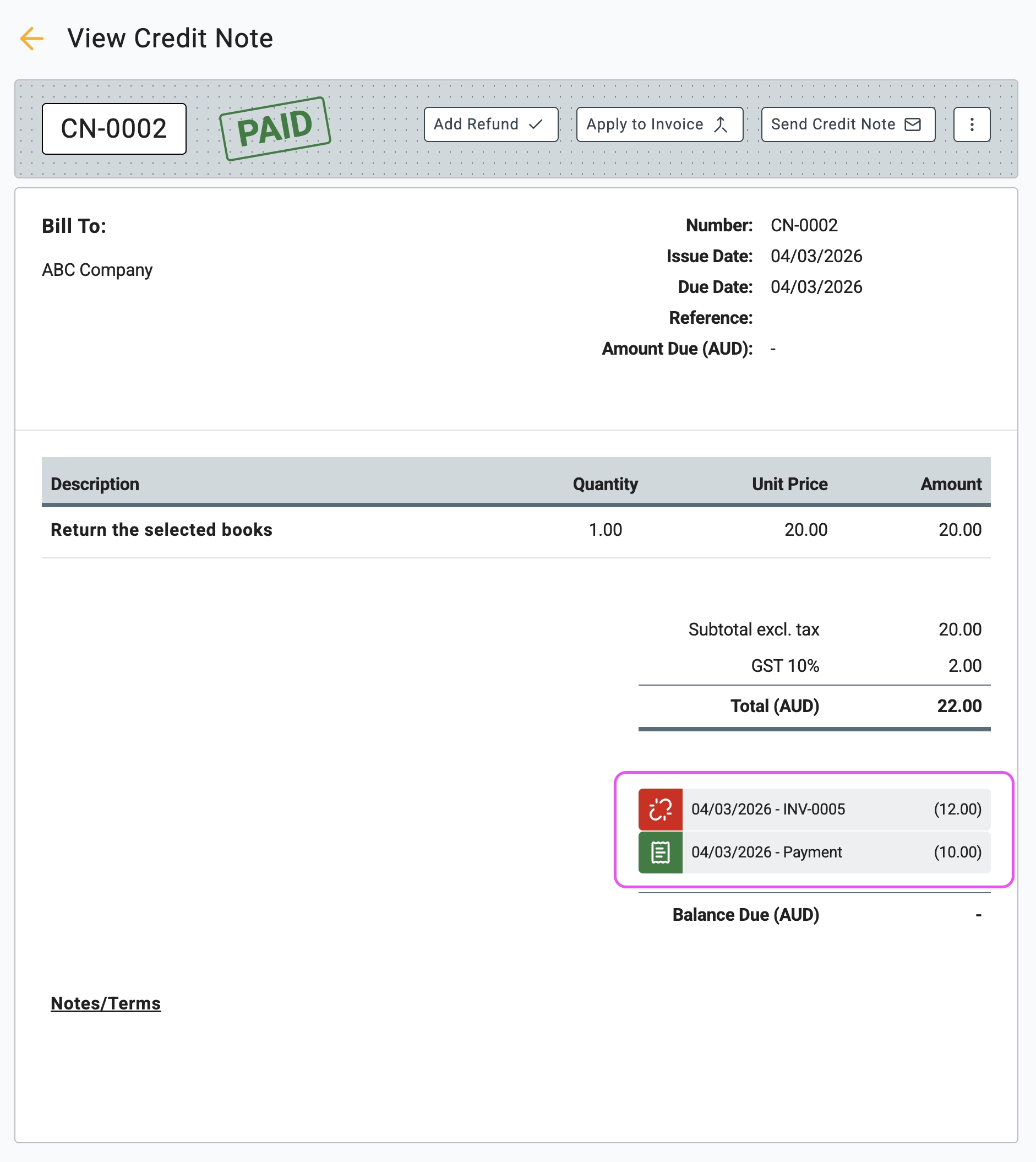
7 Take a look at the credit note now. Because the full $22 has been utilised, its status automatically updates to PAID. At the bottom of the document, you will see two history entries detailing exactly how the funds were allocated. You can click on either of these entries to jump directly to the related document for easy tracking.
🖇️ Understanding Credit Notes, Refunds, and Debit Notes
Properly managing customer credits and refunds is essential for maintaining accurate accounting records and healthy client relationships. Here is a quick breakdown of how these financial documents work:
- What is a Credit Note? A credit note (sometimes called a credit memo) is a document issued by a seller to a buyer. It serves as official proof that the amount owed by the buyer has been reduced. This is standard practice when goods are returned, items arrive damaged, or an accidental overcharge occurs.
- Refunds vs. Invoice Credits: Once a credit note is created, you have two ways to resolve it. You can issue a direct Refund (sending money back to the customer's bank account or cash drawer), or you can Apply to Invoice, which uses the credit balance to instantly pay down an existing or future invoice.
- Writing off Bad Debt: A credit note can also be used as a practical way to write off bad debt when a customer defaults on a payment. By generating a credit note and applying it to the unpaid invoice, you clear the outstanding balance from your accounts receivable. Tip: To maintain accurate financial reports, ensure the line item on a bad debt credit note is mapped to a "Bad Debt Expense" account rather than your standard sales revenue account.
- Supplier Returns (Debit Notes): What happens when the roles are reversed, and a supplier owes you a refund for a bill? The exact opposite of a Credit Note is called a Debit Note. Debit notes function exactly the same way in Gimbla, but they are created under the Purchases/Bills section. They seamlessly reduce the amount you owe to a supplier, ensuring your Accounts Payable stays perfectly balanced.