PAYG Instalment Posting
Here’s a comprehensive guide on how to make a double-entry accounting entry for a PAYG instalment. While these examples are specific to instalments paid to the Australian Taxation Office (ATO), the fundamental accounting principles can be applied to similar prepaid tax systems in your jurisdiction.
This guide provides a clear, step-by-step process for both companies and sole traders.
👣 Step 1: Recording Quarterly PAYG Instalment Payments
This initial step is identical whether you are a company or a sole trader. The goal is to show that cash has left your business bank account and is now an asset — a credit held by the tax office.
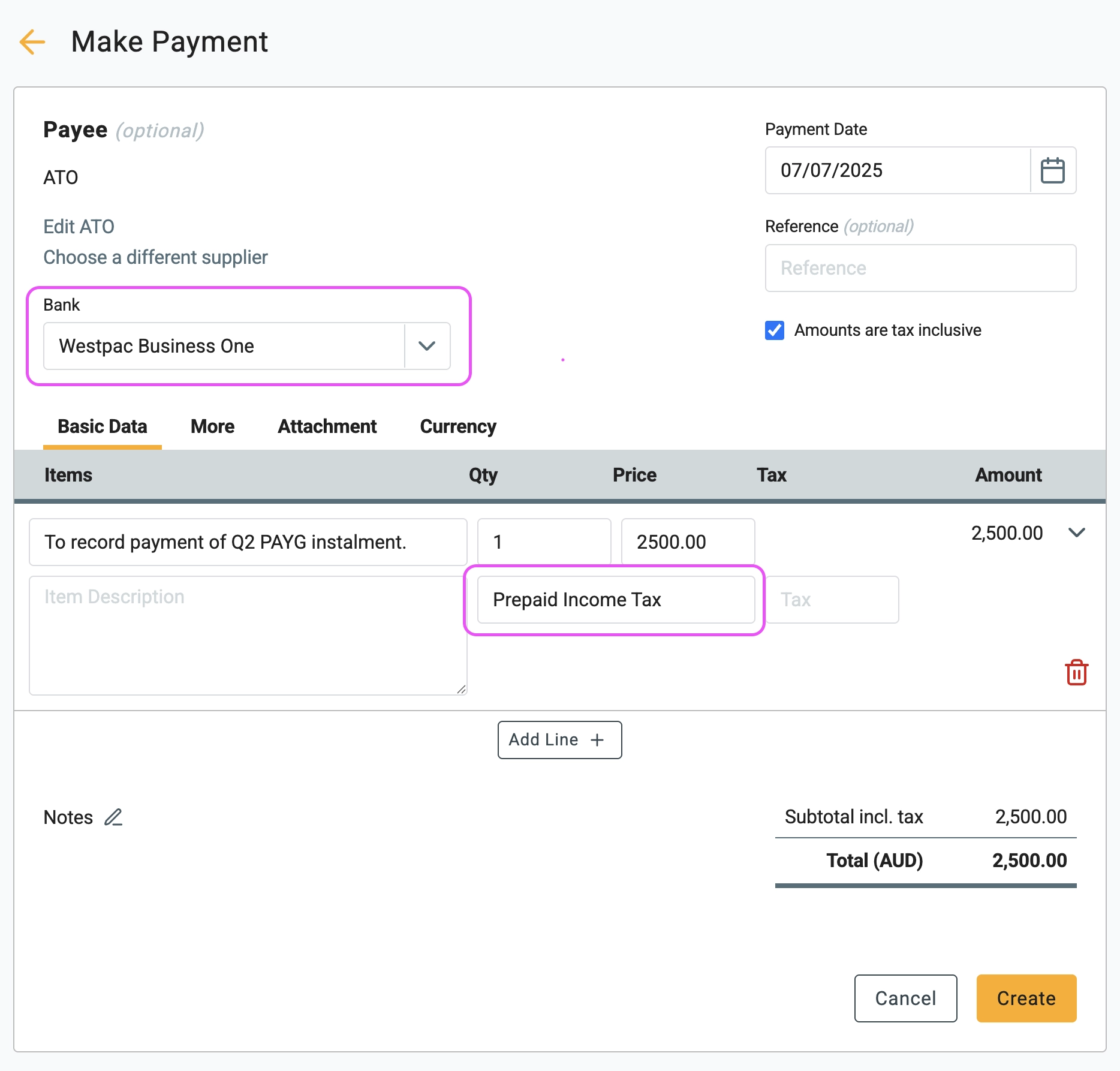
1 Chart of Accounts Setup: Before recording any payments, ensure you have the correct account set up. You need an account named Prepaid Income Tax set as a Current Asset. This is crucial — it must be a Balance Sheet account, not an Expense account.
2 Record the Payment: When you pay a quarterly instalment (e.g.,
$2,500), create a Make Payment
transaction. In the line items,
select the Prepaid Income Tax account.
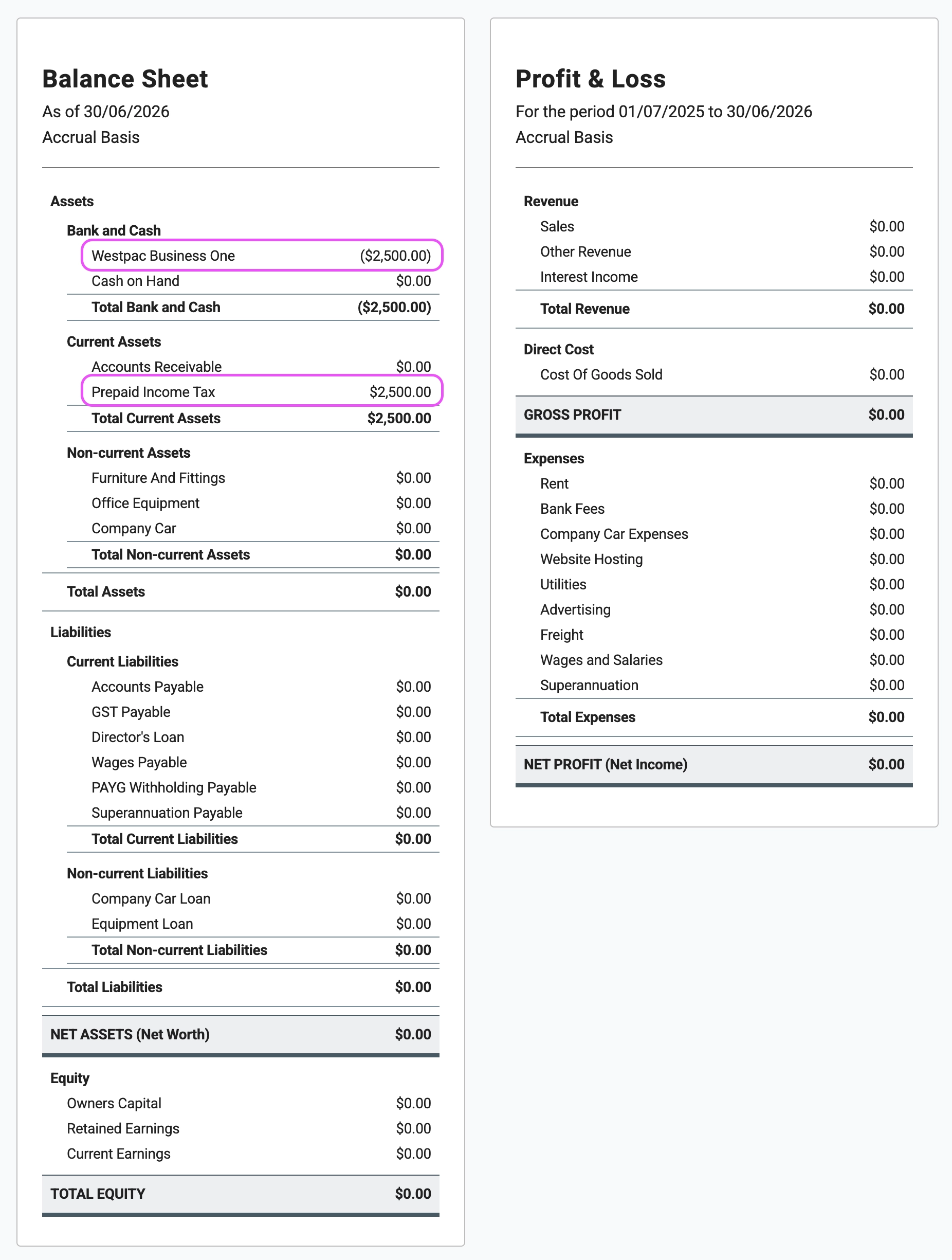
The impact of this entry is visible on your Balance Sheet. While the net effect on your total assets is zero, the composition has changed: your cash has been exchanged for a new asset, Prepaid Income Tax. This account tracks the cumulative credit you hold with the tax office, which will be cleared at the end of the financial year (Step 2). With each quarterly payment, this balance will grow; for instance, after four instalments of $2,500, the account will total $10,000.
👣 Step 2: The Year-End Adjustment
This is where the process diverges based on your business structure. The year-end journal entry is fundamentally different for companies and sole traders.
A) For Companies and Trusts
A company is a separate legal entity from its owners. Therefore, its income tax is a legitimate business expense. At year-end, you must record this expense and apply your prepayments against it.
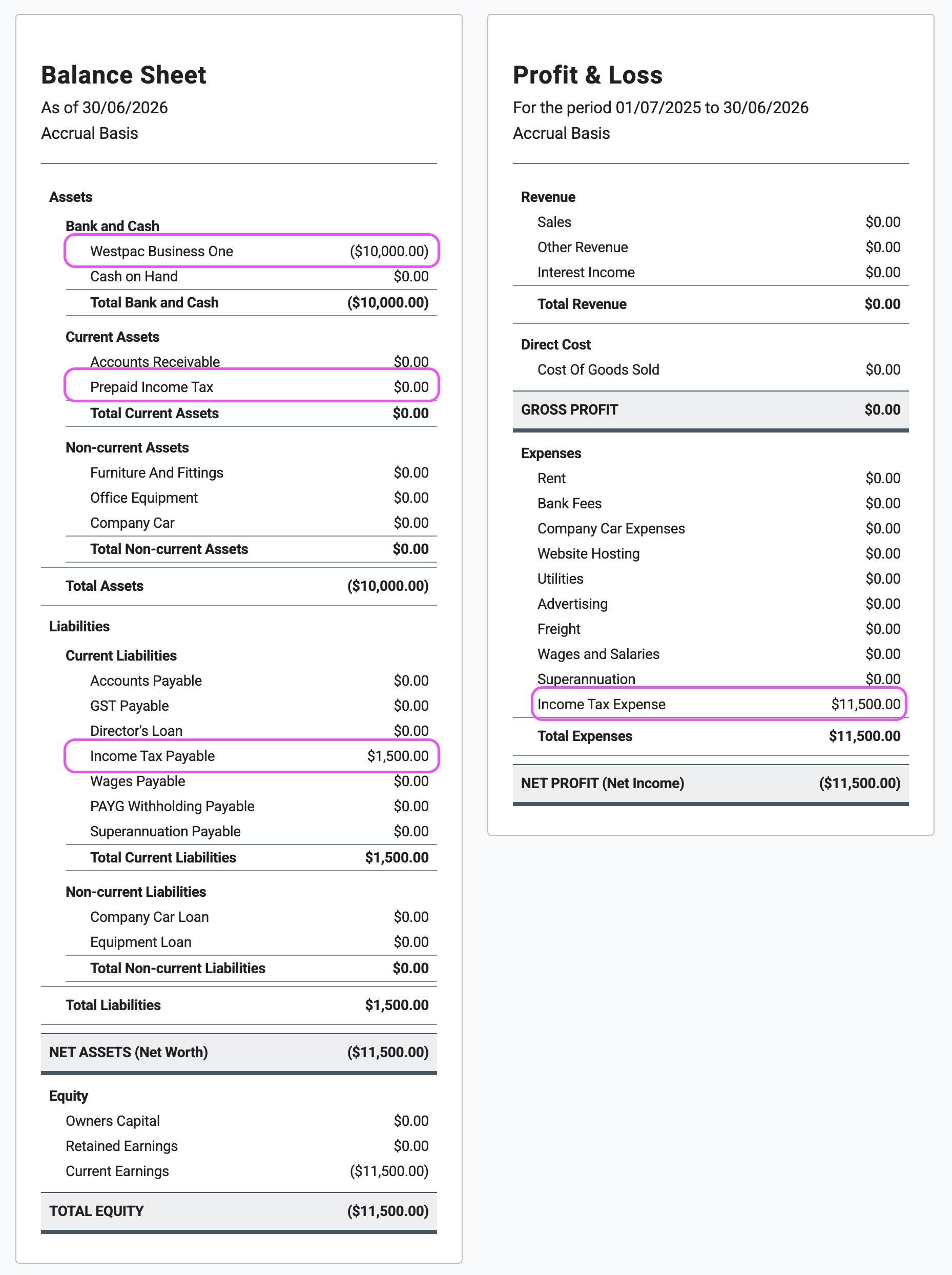
Scenario: You paid $10,000 in instalments, but your accountant determines your actual income tax expense for the year is $11,500.
The Year-End Journal:
| Account | Debit | Credit |
|---|---|---|
| Income Tax Expense (Expense) | $11,500 | |
| Prepaid Income Tax (Asset) | $10,000 | |
| Income Tax Payable (Liability) | $1,500 |
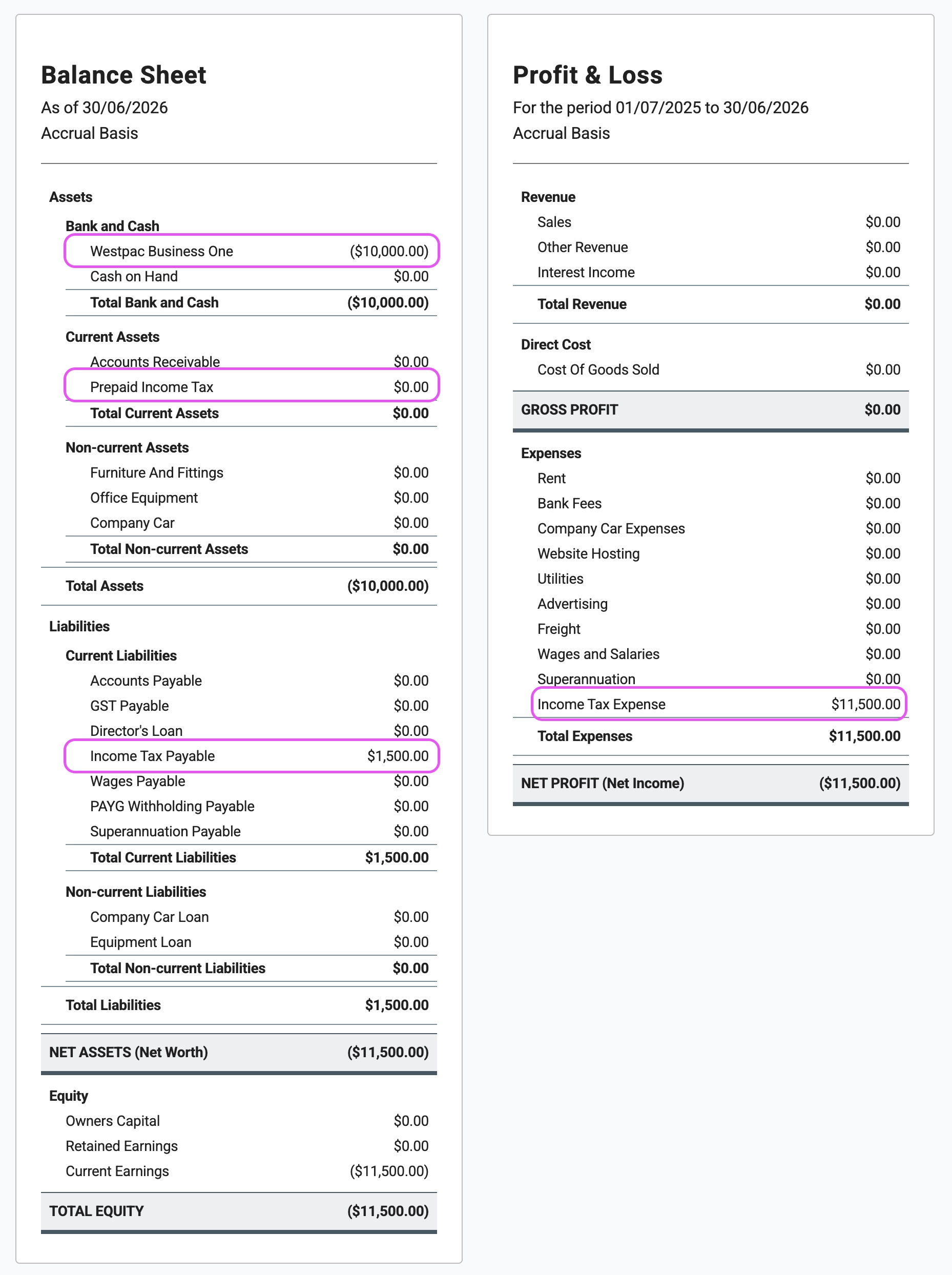
After completing this step, you’ll see the updated results on the balance sheet, and the profit has changed. The total income tax expense is now recorded in the profit and loss statement.
B) For Sole Traders
As a sole trader, you and your business are the same legal entity. Income tax is a personal liability, not a business expense. Therefore, you must not record an "Income Tax Expense" on your business's Profit & Loss statement. Payments made from the business for personal tax are treated as Owner's Drawings.
The Year-End Journal:
| Account | Debit | Credit |
|---|---|---|
| Owner's Drawings (Equity) | $11,500 | |
| Prepaid Income Tax (Asset) | $10,000 | |
| Income Tax Payable (Liability) | $1,500 |
After completing this step, you’ll see the updated results on the balance sheet, and the profit has NOT changed.