- Overview
- Quick answer
- Key points
- What changed in the 2026 wage review
- Who should be checked now
- Where the cost pressure usually shows up
- What to check after the first affected July pay run
- Common confusion: 1 July was not always the pay-run start
- Simple example
- Records to keep
- How Gimbla can help with the post-July payroll check
- Payroll checks after the first July pay run
- Frequently asked questions
- In short
Annual Wage Review 2026: Checks After the First July Pay Run
Published June 3rd, 2026 | Updated August 7th, 2026 | Team Gimbla
Australia’s 2026 Annual Wage Review rates are now in effect. Fair Work says the National Minimum Wage and minimum award wages changed from the first full pay period starting on or after 1 July 2026. The practical job for small employers is now to verify that the first affected pay runs used the right award, classification, base rate and linked pay items.
This is more than a rate-table check. It affects rosters, payslips, PAYG withholding, super calculations, STP data, payroll reports and labour-cost budgets. If your team is award-reliant, casual-heavy or paid close to minimum rates, compare the actual payroll result with Fair Work’s current rates and keep evidence of any correction.
Treat the wage review as a post-pay-run reconciliation: confirm coverage, compare the paid rates with current Fair Work rates, correct differences and keep the evidence.
Quick answer
The Fair Work Ombudsman’s 2026 Annual Wage Review update says the National Minimum Wage is now $1004.90 per week or $26.44 per hour. Minimum award wages increased by 4.75%, subject to floor-rate changes for the lowest ongoing and entry-level classifications. Fair Work has also updated its Pay and Conditions Tool and pay guides.
That distinction matters. Do not treat the decision as one universal 4.75% raise for every worker. Use the official current rate for the employee’s award, classification, employment type and pay cycle.
If you employ staff in Australia, compare the first affected pay run with each employee’s award, classification, agreement coverage and current base rate. Enterprise agreements, above-award rates, junior rates, apprentices, trainees, allowances and low-classification adjustments can change the answer.
Key points
- The first-full-pay-period rule determined when each employee’s new rate started.
- Fair Work’s current National Minimum Wage and updated award rates are now in effect.
- Minimum award wages increased by 4.75%, with special low-classification floor changes.
- Enterprise agreement base rates still need checking against the relevant award.
- Compare actual payslips, payroll reports and bank payments with the approved rate changes.
- The ATO’s current 2026 PAYG withholding tables apply from 1 July, so check payroll as a whole.
What changed in the 2026 wage review
The wage review result has two main payroll effects: one for award-free employees covered by the National Minimum Wage, and one for employees covered by modern awards.
| Area | 2026 position | Post-pay-run check |
|---|---|---|
| National Minimum Wage | $1004.90 per week or $26.44 per hour. | Confirm eligible employees were paid at least the current rate. |
| Minimum award wages | 4.75% increase, with extra floor-rate changes for the lowest classifications. | Compare each paid rate with the current award classification. |
| Lowest ongoing award rate | At least the published National Minimum Wage floor. | Recheck low classifications and entry pathways against the published floor. |
| Entry-level rate for up to 6 months | At least $978.10 per week or $25.74 per hour. | Confirm the employee still fits the limited entry-level classification. |
| Enterprise agreements | Agreement base pay rates may need a floor-rate check against the award. | Compare the paid agreement base rate with the relevant award floor. |
The safe payroll habit is to use the current award or official pay tool, then keep a note of the award, classification, rate, effective pay period, payroll result and reviewer.
Who should be checked now
Start with the workers most likely to be affected:
- Employees paid at or near minimum award rates.
- Casual employees whose base rate, casual loading, penalty rates or allowances flow from an award rate.
- Juniors, apprentices, trainees and entry-level employees.
- Employees under enterprise agreements where the base rate may sit close to the relevant award floor.
- Salaried employees whose annualised salary is meant to cover award entitlements.
- Employees who started around the July change or whose classification changed.
If someone is already paid well above the updated minimum, the wage review may not have forced a base-rate increase. Still document the review, because underpayment risk often comes from assuming an old classification, loading or allowance remains correct.
Where the cost pressure usually shows up
The wage review can affect more than the employee master file. For many small employers, the pressure now appears in rosters, quote margins, weekend shifts, casual loadings and payroll reports.
Use the first affected pay runs to update forward rosters, quotes and labour-cost budgets with real payroll results.
| Cost area | What to review | Why it matters now |
|---|---|---|
| Rostered hours | Compare planned hours with the new base rates and linked penalties. | A roster priced with old rates may now produce a lower margin. |
| Penalty-heavy shifts | Check evenings, weekends, overtime and public-holiday-style cost assumptions. | Higher base rates can flow into several linked pay items and future shifts. |
| Casual workforce | Confirm the base rate and casual loading are both updated correctly. | Casual-heavy teams can show the change quickly in gross wages and on-costs. |
| Quotes and service pricing | Review jobs, retainers or service packages that depend on staff hours. | Actual July payroll costs may show that pricing needs review. |
| Payroll accruals and reports | Check payroll journals, leave cost assumptions and management reports after the first updated pay run. | The accounting record should match the payroll decision, not just the bank payment. |
What to check after the first affected July pay run
Use the wage review as a payroll controls exercise. Start with what was actually paid, then trace any difference back to setup or approval.
| Payroll area | What to verify now | Why it matters |
|---|---|---|
| Award and classification | Confirm the paid rate used the correct award, level, employment type and any junior, apprentice or trainee rules. | The right rate starts with the right classification. |
| Pay cycle | Identify the first full pay period affected by the July change. | The new rates do not always apply from the middle of a weekly or fortnightly cycle. |
| Base rates and loadings | Compare base rates, casual loading, penalties, overtime, allowances and linked pay items with the current settings. | One stale base rate can flow into several pay items. |
| PAYG withholding | Confirm the current 2026-27 tables and employee tax settings produced the expected withholding. | Gross pay changes and new tax tables can both affect net pay. |
| Super | Compare superable earnings and Superannuation Guarantee calculations with the updated gross pay. | Higher ordinary time earnings usually change employer super cost. |
| Payslips and records | Compare payslips with payroll reports and keep evidence of rate changes, approvals and corrections. | Good records make later employee, accountant or Fair Work questions easier to answer. |
| New starter information | Use the current Fair Work Information Statement for new employees. | Current onboarding records should match the rules now in effect. |
The ATO’s 2026 PAYG withholding tax tables are marked current and apply from 1 July 2026. Compare gross pay, withholding, super and net pay together rather than treating wage rates and tax tables as separate jobs.
Use Weekly or Fortnightly PAYG Withholding to check how the employee’s pay cycle and declaration settings connect to the current Schedule 1 and STSL treatment.
Common confusion: 1 July was not always the pay-run start
The first-full-pay-period rule is easy to miss when reviewing a July correction.
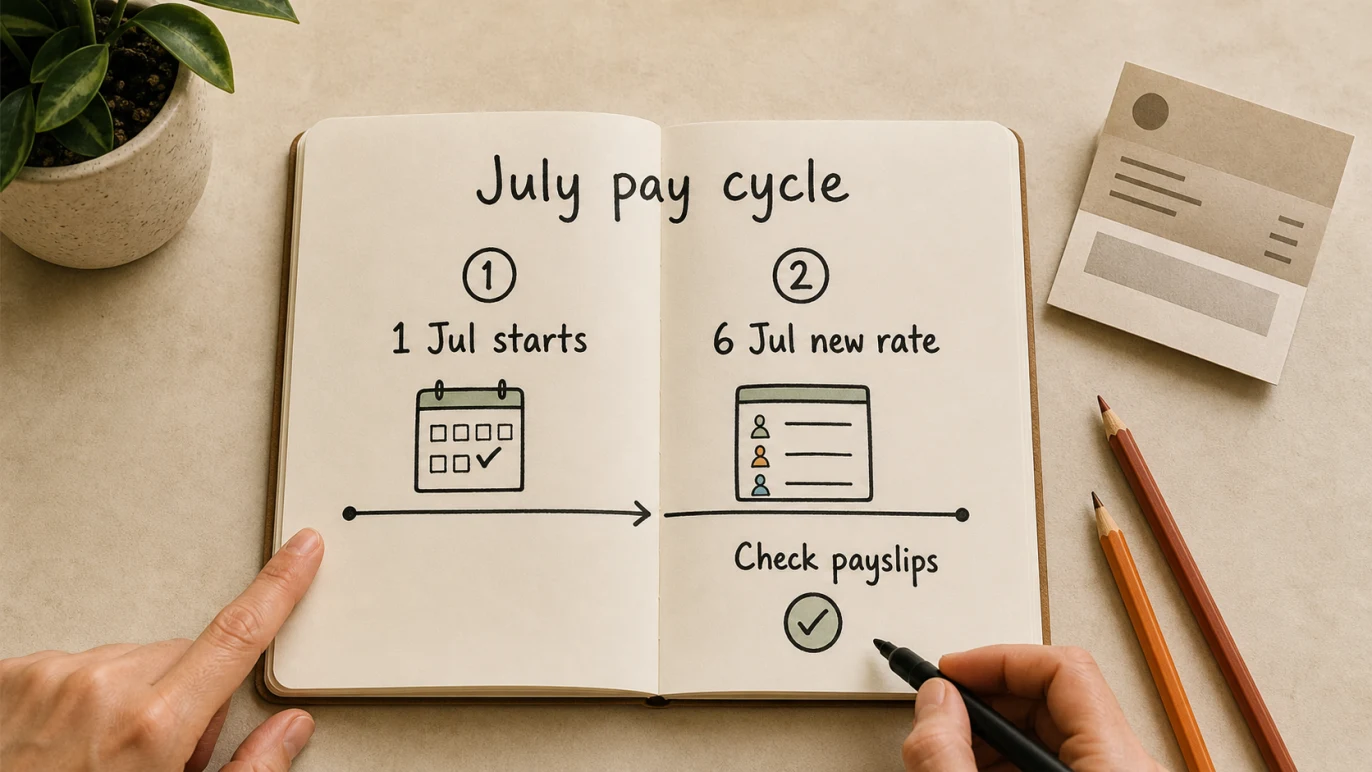
For a weekly cycle that started on Wednesday 1 July, the new rates applied from that cycle. For a Monday-to-Sunday cycle, the change applied from Monday 6 July because 1 July fell mid-cycle.
That timing still matters when reviewing timesheets, payslips, payroll journals or an employee question. Keep the effective pay-period date visible in the payroll notes so a reviewer can tell whether the change was applied correctly.
Simple example
Imagine a cafe pays employees weekly from Monday to Sunday. Wednesday 1 July fell in the middle of its pay cycle, so the new rates applied from the next full cycle starting Monday 6 July. After processing that week, the owner compares approved timesheets, current award rates, payslips, the payroll report and bank payments. If an old rate was used, the business calculates the difference, corrects the payroll records and keeps the review evidence.
Records to keep
Good payroll records turn the wage review from a vague compliance worry into a clear audit trail. For each affected worker, keep:
- the award or agreement checked
- the classification and employment type
- the old rate and new rate
- the first full pay period using the new rate
- any linked pay items updated, such as casual loading, penalties, overtime or allowances
- who reviewed and approved the change
- a sample payslip or payroll report after the first updated pay run
This is especially important where a worker is paid above the minimum. If the business decides no rate change is required, document why the current base rate remains above the relevant award floor.
How Gimbla can help with the post-July payroll check
In Gimbla, payroll and accounting records sit close together, so the wage change can be reviewed across employee records, timesheets, pay runs, payslips, STP, super and reports.
Useful workflow links:
- Create an employee with the current classification and rate.
- Timesheet add and approve to compare paid hours with approved hours.
- Register software ID for the ATO connection step.
- PAYG Withholding for the tax withheld from employee pay.
- Superannuation Guarantee for employer super on eligible earnings.
- Free payroll software in Australia if the review exposes a software or workflow gap.
The practical goal is simple: the payroll record, employee payslip, bank payment, PAYG withholding, super calculation and accounting reports should all tell the same story.
Payroll checks after the first July pay run
Use this checklist to verify the first pay run affected by the wage review:
- List every employee and their pay cycle.
- Confirm award, classification, employment type and agreement coverage.
- Identify the first full pay period affected by the July change.
- Compare paid base rates and linked pay items with current official rates.
- Check PAYG withholding and employee tax settings against the current tables.
- Compare Superannuation Guarantee calculations with updated eligible earnings.
- Match payslips, STP data, payroll reports and bank payments.
- Correct any underpayment or setup error using the appropriate payroll workflow.
- Update labour-cost budgets, rosters and quotes with actual payroll costs.
- Keep the review and correction evidence, and seek professional help where coverage or agreement interaction is unclear.
Frequently asked questions
What is the 2026 Annual Wage Review increase?
Fair Work says minimum award wages increased by 4.75%, while the National Minimum Wage is now $1004.90 per week or $26.44 per hour.
When did the new 2026 minimum wage rates start?
The new rates applied from the first full pay period starting on or after 1 July 2026. For a Monday-to-Sunday weekly cycle, they started on Monday 6 July because 1 July fell mid-cycle.
Do enterprise agreement employees need to be checked?
Yes. Fair Work says a base pay rate in an enterprise agreement cannot be less than the relevant award base pay rate. Employers with agreements should compare the agreement base rates with the updated award floor.
Is the National Minimum Wage increase the same as the award wage increase?
Not exactly. Fair Work lists the National Minimum Wage as $1004.90 per week or $26.44 per hour. It also says minimum award wages increased by 4.75%, provided the lowest ongoing award rates and short entry-level rates meet the published floor amounts. For payroll, check the official current rate for the employee’s actual award and classification.
What should small employers check after July payroll?
Compare the affected pay run with current award rates, classifications, PAYG tables, payslips, STP data, super calculations, bank payments and payroll records. Correct differences and keep the review evidence.
In short
The 2026 Annual Wage Review now gives Australian small employers a concrete reconciliation task. Check who was affected, compare the first relevant pay runs with current official rates, correct differences and keep records showing how each decision was made.