- Overview
- Quick answer
- What is a PayNow QR code?
- What Gimbla now puts on the invoice
- How to turn on PayNow QR in Gimbla
- Why this is different from a payment gateway
- Simple example
- What “free” means, and what it does not
- PayNow QR, SGQR and InvoiceNow are not the same thing
- Important checks before sending
- FAQs
- In short
PayNow QR Codes Are Now Available in Gimbla
Published August 22nd, 2026 | Team Gimbla
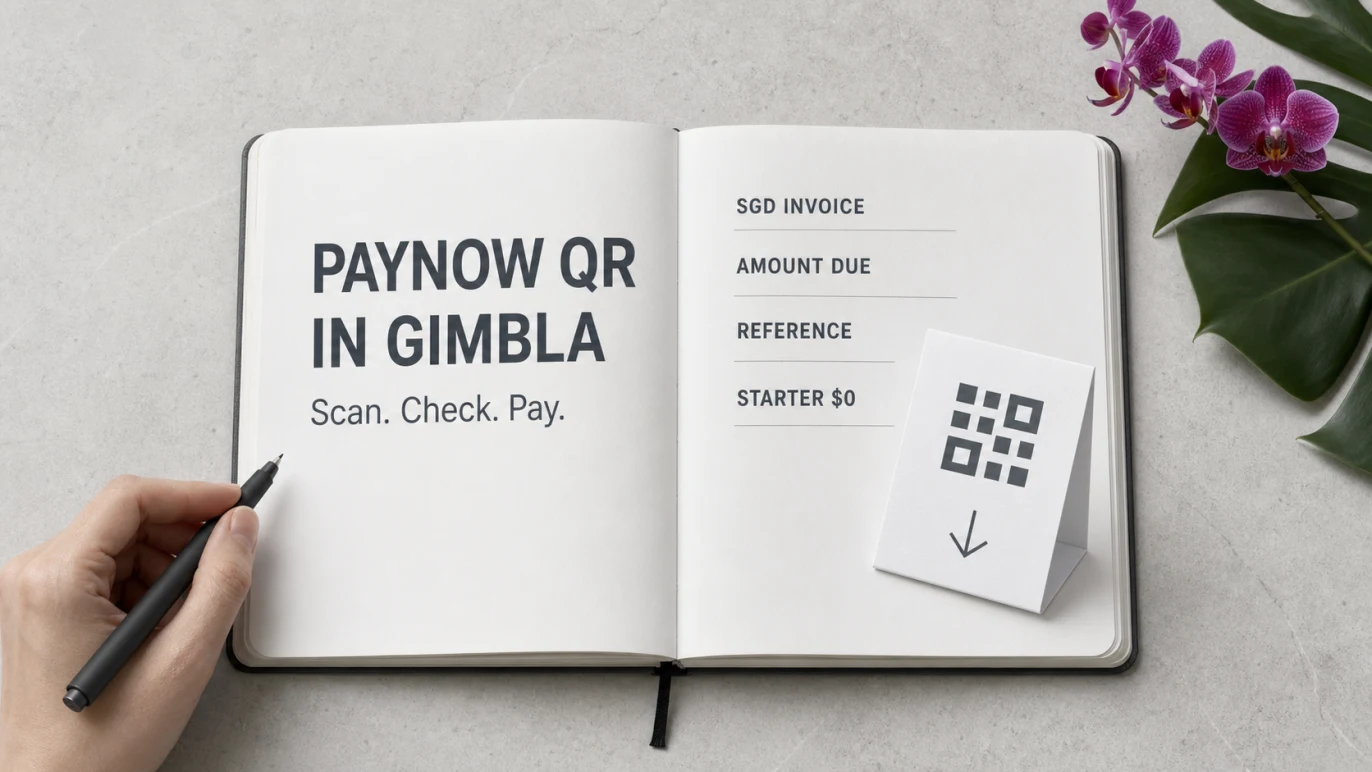
Media release, 22 August 2026: Gimbla has added PayNow QR codes to Singapore-dollar customer invoices. The feature is included in the free Starter plan and does not require a separate payment-gateway integration. Once it is enabled, an eligible invoice can show a unique QR code containing the current amount due and invoice number.
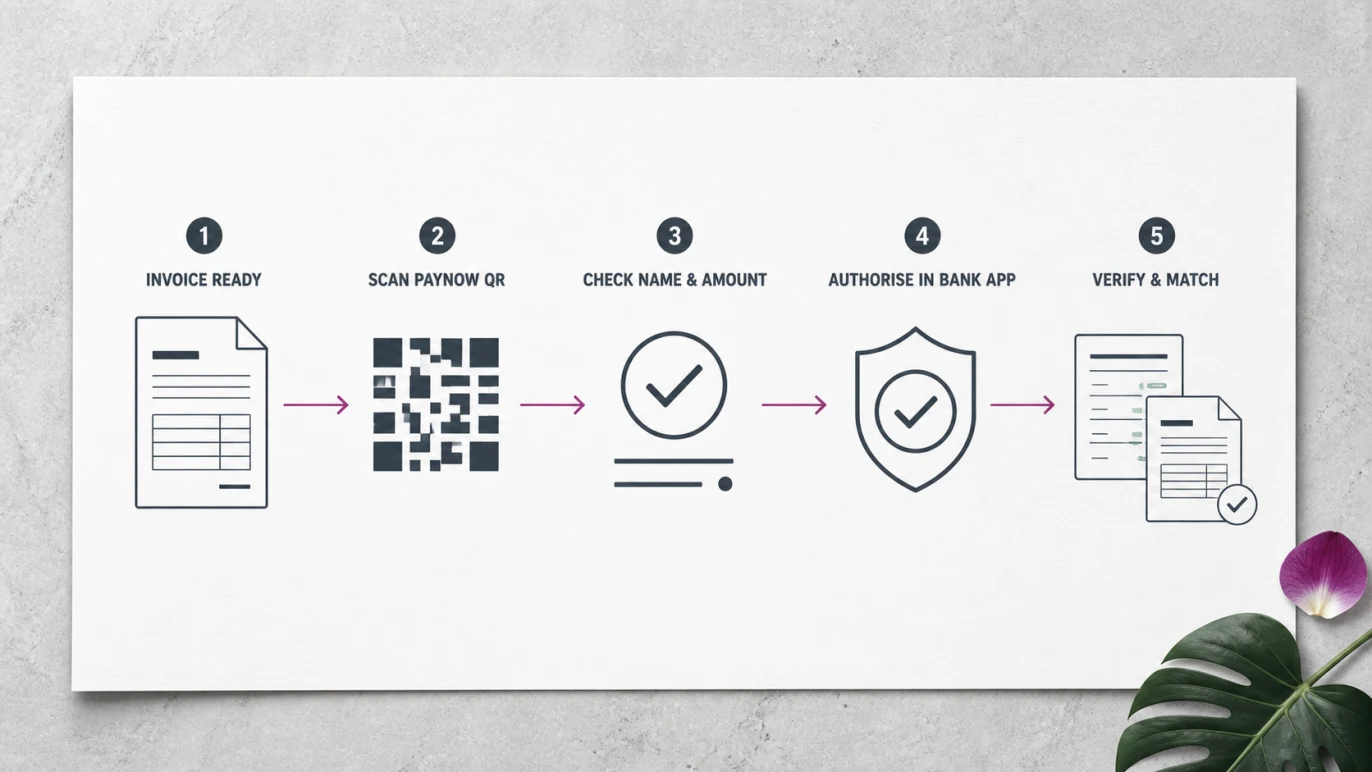
A customer scans the code with a supported banking or payment app, checks the registered recipient name and amount, then authorises the transfer. The payment goes to the account linked to the business’s PayNow destination; Gimbla does not collect a gateway fee from the transaction.

Put the payment instruction on the invoice itself: the amount and reference are ready to scan, while the customer still checks and authorises the transfer in their own banking app.
Quick answer
Gimbla’s new PayNow QR code feature is available to Singapore businesses on the $0 Starter plan. It works on customer invoices in SGD that have a positive amount due. Gimbla generates the QR code without sending the payment through a separate processor, so there is no Gimbla add-on fee or Gimbla per-transaction fee for the QR feature.
The important qualification is that “free in Gimbla” does not mean every part of business banking is universally free. A business still needs an eligible account and a PayNow destination registered with a participating bank or major payment institution. Its usual account or PayNow service fees may apply, so check the current terms with the bank.
What is a PayNow QR code?
PayNow is Singapore’s SGD funds-transfer service. It lets people and businesses send money using a registered proxy, such as a mobile number or a business’s Unique Entity Number (UEN), instead of entering the recipient’s bank account number.
A PayNow QR code turns those payment details into something a payer can scan. The Association of Banks in Singapore explains that customers can scan PayNow QR codes with participating mobile banking or payment apps. A QR can also carry an amount and reference, reducing what the payer needs to enter by hand.
For businesses, PayNow Corporate normally links a UEN issued in Singapore to an eligible Singapore account. The business registers through its participating bank or major payment institution. DBS’s PayNow Corporate guide confirms that businesses can publish a UEN or QR code on an invoice and that a reference embedded in the QR can appear on the bank statement for reconciliation.
What Gimbla now puts on the invoice
When PayNow is active, Gimbla can generate a dynamic QR code for an eligible invoice with:
- the PayNow destination configured by the business
- the entity name shown to the payer
- the current SGD amount due
- the invoice number as the payment reference
The QR appears only on customer invoices in SGD with an amount still owing. It is not added to quotes, supplier bills or credit notes. If an invoice has been partly paid, the live invoice view can use the remaining amount due; once nothing is owing, no PayNow QR is generated.
The payment block is supported across Gimbla’s invoice designs and customer-facing invoice output, including invoice PDFs. The customer sees the PayNow mark, “Scan to pay” and the SGD amount beside the QR.
How to turn on PayNow QR in Gimbla
Before switching on the feature, register the intended PayNow destination with a participating institution and confirm which account it reaches. For a Singapore entity, this will normally be its UEN or UEN with an approved three-character suffix. Gimbla also supports a registered Singapore mobile-number destination where appropriate.
Then:
- Open Settings in Gimbla.
- Go to Integrations, then select PayNow.
- Choose UEN or Mobile Number.
- Enter the PayNow entity name and registered identifier.
- Turn on Show PayNow QR code on invoices and save.
- Create or open an SGD customer invoice with an amount due.
Before relying on the first invoice, scan its QR as a test and stop before authorising payment. Check that the banking app shows the intended recipient name, amount and invoice reference. If the PayNow registration or linked account later changes, update the Gimbla setting and test again.
For the surrounding invoice workflow, use the create an invoice guide and check how the invoice total and amount due are calculated before sending.
Why this is different from a payment gateway
Several major accounting platforms offer online invoice payments through a separate payment provider. That model can be useful: a provider may supply a hosted checkout, automatic payment confirmation, refunds, settlement reporting and other payment methods. It can also mean opening another account and paying transaction fees.
For example, Xero Singapore’s invoice-payments page says its PayNow options work through payment providers and that transaction fees apply. Stripe Singapore’s standard pricing currently lists 1.3% per successful PayNow transfer, while HitPay’s Singapore pricing lists its own PayNow transaction rates and software-integration add-ons. Provider prices and terms can change.
Gimbla’s PayNow QR takes a simpler route. It creates the payment instruction directly on the invoice and does not require a separate payment-gateway integration for that QR. Gimbla does not deduct a processing percentage or fixed gateway fee from the transfer.
| Question | Gimbla PayNow QR | Provider-based online payment |
|---|---|---|
| Separate payment provider account? | No separate gateway account for the QR feature. | Usually required for the connected payment option. |
| Gimbla transaction fee? | No. The feature is included in Starter. | Provider and accounting-platform terms vary. |
| Where does the payment go? | To the account linked to the registered PayNow destination. | Through the provider’s processing and settlement flow. |
| Automatic payment confirmation? | No. Verify the bank credit and match the invoice reference. | Often available as part of the provider integration. |
That last row matters. The Gimbla QR is deliberately a payment instruction, not a payment-processing service. After the customer pays, confirm the money in the bank and reconcile the payment. Do not mark an invoice as paid only because a customer sends a screenshot.
Simple example
Jia runs a small design studio in Singapore and sends invoice INV-1042 for S$480. The studio has registered its UEN for PayNow and linked it to the correct SGD business account. With the integration active, Gimbla places a PayNow QR on the invoice containing the S$480 amount due and INV-1042 as the reference.
The customer opens a participating banking app, scans the QR and checks the studio’s registered name, the S$480 amount and the reference. The customer authorises the payment. Jia then verifies the credit in the studio’s bank account and matches INV-1042 to the open invoice in Gimbla.
What “free” means, and what it does not
The PayNow QR feature is included in Gimbla’s free Starter plan. Gimbla does not charge to switch it on, generate the invoice QR or process a percentage of the transfer.
PayNow itself is free to retail customers, according to the Association of Banks in Singapore. Business arrangements are different: banks and payment institutions set their own account and service terms. The ABS merchant surcharge FAQ also says merchants must not impose a surcharge on consumers for paying with PayNow. Any PayNow-related service cost the business incurs must be treated as overhead rather than added to the customer’s PayNow payment.
In practical terms:
- Gimbla’s feature fee: $0 in Starter
- Gimbla’s per-transaction QR fee: $0
- Customer PayNow surcharge: not permitted
- Business bank or account fees: check with the participating institution
PayNow QR, SGQR and InvoiceNow are not the same thing
The names can be confusing:
- PayNow is the funds-transfer service.
- PayNow QR is a scannable payment instruction for a PayNow transfer.
- SGQR is Singapore’s common QR specification and label framework, which can support payment schemes including PayNow.
- InvoiceNow is Singapore’s structured e-invoicing network and GST invoice-data workflow.
Gimbla’s new feature is about helping a customer pay an SGD invoice. It does not replace the separate GST InvoiceNow preparation that may apply to a business.
Important checks before sending
- Confirm the PayNow destination is registered and linked to the intended account.
- Use the entity name customers should expect to see in their banking app.
- Scan-test the first invoice without completing a transfer.
- Tell customers to check the recipient name and amount before authorising.
- Verify each incoming credit in the bank rather than relying on a screenshot.
- Match the invoice-number reference during reconciliation.
- Update the integration if the UEN, mobile proxy or linked account changes.
- Ask the bank about current business account, transfer and PayNow service fees.
FAQs
Is the PayNow QR code feature free in Gimbla?
Yes. It is included in Gimbla’s $0 Starter plan. Gimbla does not charge an add-on or per-transaction fee for generating the QR code. Bank or PayNow-related business fees may still apply.
What does Gimbla put in the PayNow QR code?
For an eligible SGD customer invoice, Gimbla generates a QR containing the configured PayNow destination, current amount due and invoice number as the payment reference.
Does a PayNow QR payment automatically mark the invoice as paid?
No. Verify the credit in the bank account and match the payment reference to the invoice in Gimbla. The QR is a payment instruction, not an automatic confirmation or reconciliation service.
Do I need to register for PayNow before using the Gimbla feature?
Yes. The intended UEN—or a supported Singapore mobile proxy where appropriate—must already be registered for PayNow with a participating bank or major payment institution and linked to the correct account.
In short
Gimbla now gives Singapore businesses a straightforward way to put a PayNow QR code on SGD customer invoices. The amount due and invoice reference are ready to scan, the feature costs $0 in Starter, and no separate payment gateway is required. The business still verifies the bank credit, matches the invoice and checks any bank-specific fees.