- Overview
- Quick answer
- Key points
- Comparison method and disclosure
- STP software comparison at a glance
- Which STP software suits your business?
- What every STP product should let you verify
- Payroll-only software versus connected accounting
- Simple example
- Common mistakes when choosing STP software
- How to test your shortlist before the first live pay run
- Where Gimbla fits
- Frequently asked questions
- The bottom line
Best STP Software for Small Business: 2026 Comparison
Published August 12th, 2026 | Team Gimbla
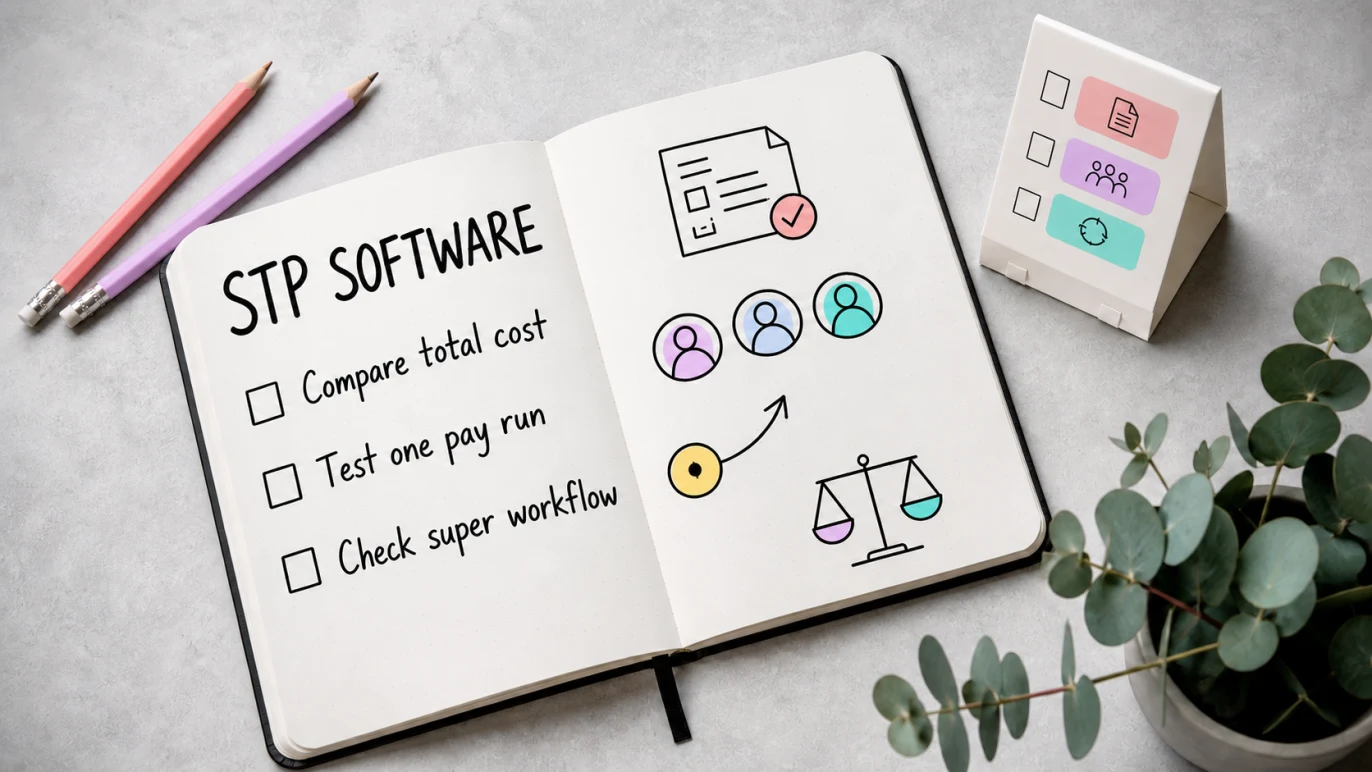
The best STP software for a small Australian business is the product that can run a correct pay cycle, report through Single Touch Payroll (STP), manage super and keep usable payroll records at a sustainable ongoing price. For an employer with up to four people who also needs accounting, Gimbla Plus is our best-value integrated pick at AUD 19.95 per month as listed. If the books already live elsewhere, MYOB Payroll Only or Reckon Payroll can be cheaper standalone choices.
That is not a universal ranking. Payroller can suit mobile-first or payroll-only users, Xero can suit businesses that value its adviser and app ecosystem, and QuickBooks can suit teams already using QuickBooks Online. The right shortlist depends on employee count, pay complexity, super workflow, accounting integration and the cost after introductory offers end.
Do not choose STP software by the lodgment button alone. Compare the full path from employee setup and approved hours to payslips, super, ATO status, corrections and accounting records.
Quick answer
For a straightforward Australian small employer, start with these best-fit categories:
- Best low-cost integrated accounting and STP: Gimbla Plus, particularly for up to four employees.
- Best low-cost payroll-only shortlist: MYOB Payroll Only and Reckon Payroll Essentials.
- Best mobile-first payroll-only option: Payroller, including its tightly limited free Lite plan for one-person mobile payroll.
- Best for an existing adviser or app ecosystem: Xero Payroll.
- Best for an existing QuickBooks Online business: QuickBooks Payroll powered by Employment Hero.
Most employers need to report salary and wages, PAYG withholding and super information through STP each time they pay employees, unless an exemption, deferral or concession applies. If you are new to the reporting system, first read what Single Touch Payroll is and how it works.
Key points
- An ATO Product Register listing confirms registered services; it is not an ATO endorsement or a quality ranking.
- Compare regular prices after promotions, employee caps, per-person fees and the cost of any separate accounting subscription.
- STP reporting is only one part of payroll. Payslips, leave, PAYG withholding, super, corrections, finalisation and records still matter.
- Since Payday Super began on 1 July 2026, software also needs a practical pay-cycle super workflow and fast error handling.
- Run a test pay cycle with realistic employees and exceptions before moving live payroll.
Comparison method and disclosure
This article is published by Gimbla. The “best fit” labels are Team Gimbla’s editorial assessment, not claims made by the ATO or the other vendors. We have not presented this as an independent hands-on product review.
Prices and public feature claims were checked against official Australian vendor pages on 12 August 2026. We use regular public pricing after introductory discounts wherever it is available, identify employee limits and avoid treating a temporary offer as the real ongoing cost. Pricing can change, so confirm the selected plan and GST treatment before buying.
We also checked the ATO Software Developers Product Register. The register says the ATO does not approve, accredit, endorse or recommend listed products. A listing is therefore a trust check for the registered service, not proof that the product is the best fit for your business.
STP software comparison at a glance
| Software and best-fit buyer | Regular public price basis | Payroll and STP workflow | Main trade-off to check |
|---|---|---|---|
| Gimbla Plus Cost-conscious small employers wanting accounting and payroll together | AUD 19.95/month as listed; GST treatment is not stated. Includes up to 4 employees, then AUD 1.50 per additional employee each month, with the charge capped at 20 employees. | Pay runs, payslips, leave, timesheets, rostering, STP Phase 2, super workflow, finalisation and accounting in one system | Check specialised award interpretation or larger workforce needs against your industry and adviser workflow |
MYOB Business Payroll Only Very small teams wanting standalone payroll from an established Australian provider | $15/month after the current offer for up to 4 employees; confirm GST treatment at checkout | Pay runs, direct STP reporting, tax, leave, employee onboarding and automated superannuation contributions | Payroll Only does not replace the accounting system used for invoices, bills, BAS, bank reconciliation and financial reports |
Reckon Payroll Essentials Small teams wanting a standalone web-and-mobile payroll app | $16/month regular price as displayed for up to 4 employees; a temporary promotion applies to eligible new users | Pay runs, payslips, leave, STP Phase 2, employee self-service and Payday Super workflow | The payroll app is standalone, so confirm how payroll totals reach your accounting records |
Payroller Mobile-first or payroll-only users, including some one-person payrolls | Lite is free for mobile users running payroll for one person. Standard is $5.50 per employee/month with a $22 monthly minimum, or $3.99 per employee/month with a $15.96 minimum on yearly billing. Payroller’s current terms say prices exclude GST unless stated. | Web and mobile payroll, STP Phase 2, employee app, leave, super, timesheets and Xero integration on Standard | Minimum spend and the separate accounting workflow can matter more than the per-employee headline |
Xero Payroll Businesses prioritising an established adviser and app ecosystem | Ignite is $37/month including GST for payroll for 1 person; Grow is $78 for 2 people; Comprehensive is $107 for 5 people. Extra usage charges may apply. | Integrated accounting, STP, pay runs, employee self-service and automated superannuation | The regular subscription is higher, and the included payroll headcount changes by plan |
QuickBooks Online with Standard Payroll Businesses already keeping their accounts in QuickBooks Online | Simple Start is $33/month as listed, plus $6 including GST per active employee each month for Standard Payroll; confirm the base plan’s GST treatment | Integrated accounting plus Employment Hero-powered payroll, STP, employee self-service, reports and super through Beam | Payroll is a separate per-active-employee add-on and accounting user limits depend on the base plan |
Short-term discounts are deliberately not the headline comparison. A $1 or $2 introductory month can be useful, but it should not decide a payroll system that may hold years of employee history.
Which STP software suits your business?
Up to four employees and no accounting system yet
Gimbla Plus is the strongest integrated value in this shortlist. The monthly plan includes payroll and STP for four employees as well as invoices, bills, bank reconciliation, GST, BAS lodgment, bank feeds and financial reports.
That matters because payroll creates accounting entries. Wages, PAYG withholding, super liabilities, employee deductions and bank payments should not need to be rebuilt in a second system after every pay run.
Up to four employees with accounting already covered
MYOB Payroll Only and Reckon Payroll Essentials deserve a closer look. Their regular public prices are below Gimbla Plus, but they do a narrower job. The comparison is sensible only if the existing accounting workflow can receive accurate payroll totals without repeated manual cleanup.
Payroller is another payroll-only option. Its free Lite plan is narrowly framed around mobile payroll for one person. Standard adds web payroll and broader features, but the minimum spend means the real price for one to four employees is not simply the per-person rate. See the detailed Payroller pricing guide before relying on an older price comparison.
Businesses already using Xero or QuickBooks
Changing the accounting ledger solely to save a few dollars on payroll can create migration work, adviser disruption and broken historical comparisons. If your books already run well in Xero or QuickBooks, first price the payroll option inside that ecosystem and test the employee limits.
Xero Grow includes payroll for two people, while Comprehensive includes five. QuickBooks sells payroll as an add-on to any QuickBooks Online plan and charges per active employee. Both can be logical choices when the accounting setup, integrations and adviser access are already working.
Roster-heavy or award-complex teams
A cafe, retailer, care provider or multi-location team may need more than basic STP. Check rostering, timesheets, multiple pay rates, allowances, penalty rates, employee onboarding, award interpretation and exception reporting with real scenarios.
Do not assume an “automated” label resolves every award decision. The employer remains responsible for using the correct classification, rate, hours, allowances and leave treatment. If advanced workforce management drives the choice, compare the Gimbla and Deputy workflows or shortlist a deeper HR and payroll platform before committing.
What every STP product should let you verify
The exact registered service
Search the ATO Product Register for the product name and open the registered services. For STP Phase 2 pay-event reporting, look for the relevant Payroll (STP) service rather than relying on an “ATO approved” badge. Gimbla Payroll, for example, is listed for Payroll (STP), including Payroll Event 2020.
A complete pay-run review
Before lodging, you should be able to review gross pay, PAYG withholding, super, deductions, leave and net pay. The software should also show submission status and make corrections traceable. An STP report can transmit cleanly even when the underlying pay setup is wrong.
Payslips and seven-year records
The Fair Work Ombudsman’s record-keeping and pay slips guidance says employers must keep accurate employee records for seven years and issue a payslip within one working day of payday. Test whether the product makes records easy to retrieve, export and explain after an employee leaves.
Payday Super and error handling
STP reports super information; it does not itself move the contribution to the employee’s fund. Under Payday Super, contributions generally need to reach the nominated fund within seven business days of payday, unless an extended timeframe applies. Check calculation of qualifying earnings, SuperStream payment steps, fund validation, returned contributions and how quickly an error can be fixed.
The ATO’s Super Product Register is a voluntary, non-exhaustive comparison aid rather than an endorsement. Its current Gimbla Payroll entry lists payment support, a clearing-house partnership, contribution-data generation, contribution-error responses, member verification and outcomes, and WPN support. Those fields are more useful buying evidence than a generic “ready” badge, but you should still test the end-to-end timing yourself.
Finalisation and switching history
The product should support year-end finalisation, amendments and a clean transition from the previous system. Confirm how opening year-to-date balances are entered, how duplicate submissions are avoided and whether old payslips and payroll reports remain accessible after cancellation.
Payroll-only software versus connected accounting
Payroll-only software can be the best choice when the business already has dependable bookkeeping and a clear payroll-journal process. It can also reduce the cost of paying a very small team. Read the full payroll-only software guide if this is your starting point.
Connected accounting and payroll is usually easier when the owner or bookkeeper wants one source for employee costs, PAYG withholding, super liabilities, bank payments and reports. It reduces re-entry, but only if the payroll mapping is set up properly.
Use four questions to decide:
- Where will wages, PAYG withholding, super and deductions be recorded after each pay run?
- Who checks that the payroll report agrees with the general ledger and bank payment?
- Can the accounting system import or post a balanced payroll journal without manual rebuilding?
- What will the full monthly cost be after adding both systems, support and extra employees?
If price is the main concern, compare free payroll software in Australia separately. A free accounting plan, free mobile payroll plan and free STP function are not necessarily the same offer.
Simple example
Imagine a design studio has three employees, fortnightly pay runs and straightforward salary arrangements. It needs STP Phase 2, payslips, leave, Payday Super and accounting records. The owner is comparing regular public prices rather than first-month promotions.
Gimbla Plus is AUD 19.95 per month as listed and keeps payroll with the accounts. MYOB Payroll Only is $15 per month and Reckon Payroll Essentials is $16 per month, but either needs a separate accounting workflow. Payroller Standard reaches its $22 monthly minimum for this team. QuickBooks Simple Start plus three active payroll employees totals $51 per month on the displayed price basis. Xero Grow is $78 including GST but includes only two people, so the owner would need to confirm an additional payroll charge or compare the $107 Comprehensive plan for five people.
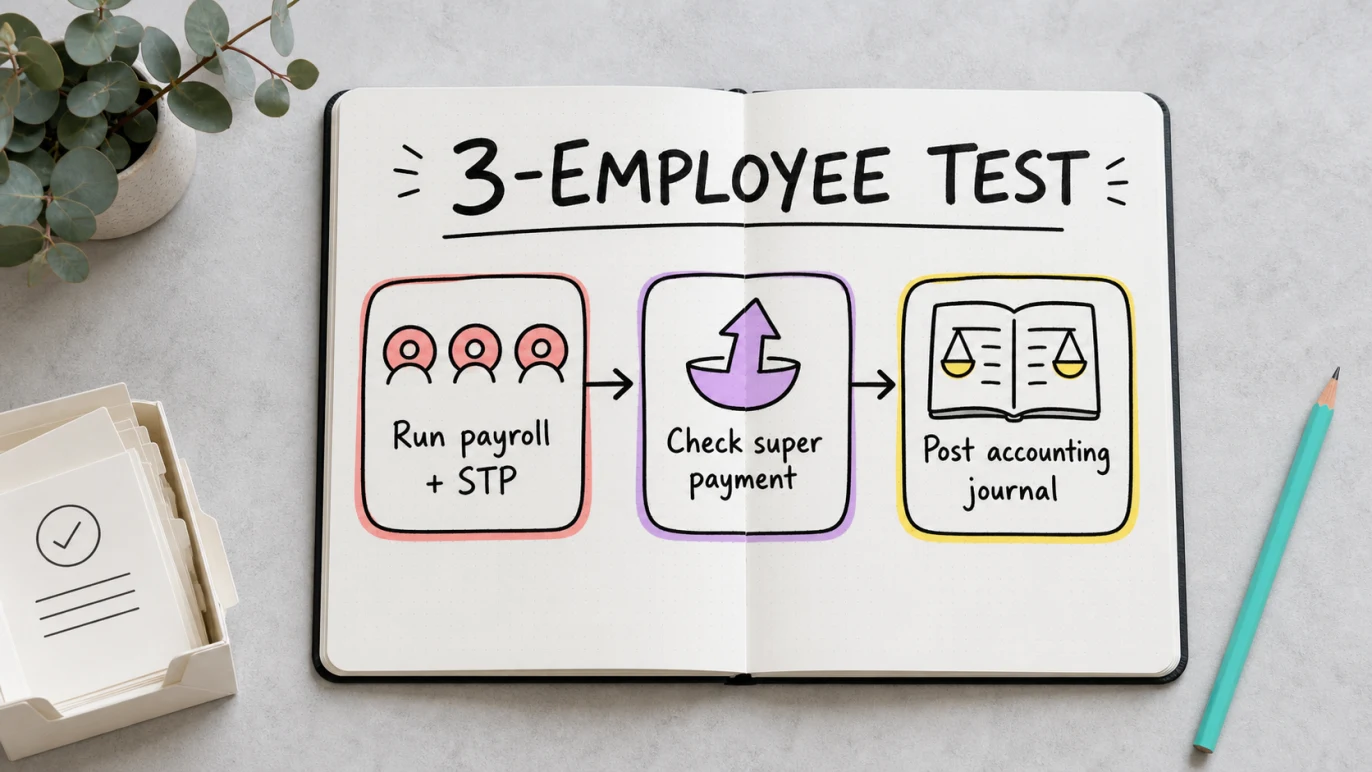
The cheapest payroll-only subscription is not automatically the lowest total cost. The studio should run one shadow pay cycle, post the payroll totals to its books, test a super payment and retrieve a payslip before choosing.
Common mistakes when choosing STP software
Treating an ATO listing as a recommendation
Registration is essential evidence for the relevant digital service, but the ATO does not rank the user experience, support, payroll depth or value.
Comparing only the promotional month
Use the price after the offer, then calculate the cost at your likely employee count in 12 months. Include accounting, super, time tracking, award or roster add-ons and support where relevant.
Assuming STP replaces payroll compliance
Software can calculate and report from the setup it has been given. It cannot confirm every award, employment, allowance or contractor judgement. Review unusual arrangements with a qualified payroll adviser, accountant or workplace specialist.
Ignoring the accounting handoff
A successful ATO submission does not prove that wage expense, PAYG withholding, super liabilities and bank payments reached the books correctly. Reconcile the first live pay run and the first correction.
Moving without a finalisation plan
Choose the changeover date, preserve historical reports, confirm year-to-date balances and decide which product will handle the year’s finalisation before cancelling the old service.
How to test your shortlist before the first live pay run
- Choose two or three products from the best-fit category, not every product in the market.
- Confirm the exact plan price, employee headcount, GST treatment and current offer end date.
- Check the product’s name and registered service on the ATO Product Register.
- Create representative employees: salary, hourly or casual, plus any real allowances or deductions.
- Run a shadow pay cycle and review gross pay, PAYG withholding, super, leave and net pay.
- Preview a payslip, STP declaration, payroll report and accounting journal.
- Test the Payday Super workflow, including fund details and what happens when a contribution is rejected.
- Check correction, finalisation, export, cancellation and support steps before migrating history.
For Gimbla, the ATO connection step is covered in the guide to register your software ID for STP.
Where Gimbla fits
Gimbla is designed for Australian small businesses that want payroll and accounting in one straightforward system. Plus includes payroll and STP for up to four employees, with additional employee pricing, as well as invoices, bills, GST, BAS lodgment, bank feeds, reconciliation and reports.
The practical advantage is not an “all-in-one” label by itself. It is being able to check a pay run, submit STP, prepare super and then reconcile the wage payment, PAYG withholding and super liability without rebuilding the numbers elsewhere.
Gimbla Payroll is listed on the ATO Product Register for Payroll (STP), including Payroll Event 2020. That is the verifiable registration claim. It is not an ATO endorsement. Review the current Gimbla pricing and test the workflow against your employees before deciding.
Frequently asked questions
What is the best STP software for a small business?
There is no universal winner. Gimbla Plus is a strong low-cost integrated choice for up to four employees. MYOB Payroll Only and Reckon suit small teams wanting standalone payroll, Payroller suits mobile or payroll-only workflows, and Xero or QuickBooks may be a better operational fit when the business already uses those accounting ecosystems.
Is STP software approved by the ATO?
The ATO does not approve, endorse or recommend payroll products. Use the ATO Software Developers Product Register to verify the exact registered STP service, then assess price, limits, support, security and workflow yourself.
Can a small business use free STP software?
Yes, if the free option covers the employee count, device access, payslips, STP Phase 2, super, corrections, finalisation and support the business needs. Payroller Lite, for example, is restricted to mobile users running payroll for one person. Always read the current plan terms.
What should STP software include?
At minimum, check employee setup, PAYG withholding, payslips, leave, STP Phase 2, super, corrections, finalisation, payroll reports and secure history. Also check how payroll totals reach the accounting records.
The bottom line
The best STP software is the one that fits your real pay cycle and remains affordable after promotions end. Verify the registered service, compare the complete monthly cost, run one realistic test pay and make sure payroll, super and accounting records stay aligned.