- Overview
- Quick answer
- Key points
- Open Banking, Akahu and reconciliation are different layers
- What changed when regulated Open Banking began in New Zealand?
- How Gimbla connects a New Zealand account through Akahu
- Regulated Open Banking and classic Akahu connections are not identical
- What an Akahu bank feed imports into Gimbla
- How Gimbla implements Akahu transactions in reconciliation
- Simple example
- What to check before confirming a feed task
- What happens if Akahu access stops?
- A practical routine for New Zealand bank feeds
- Frequently asked questions
- In short
Open Banking NZ: How Akahu Bank Feeds Work in Gimbla
Published August 9th, 2026 | Team Gimbla
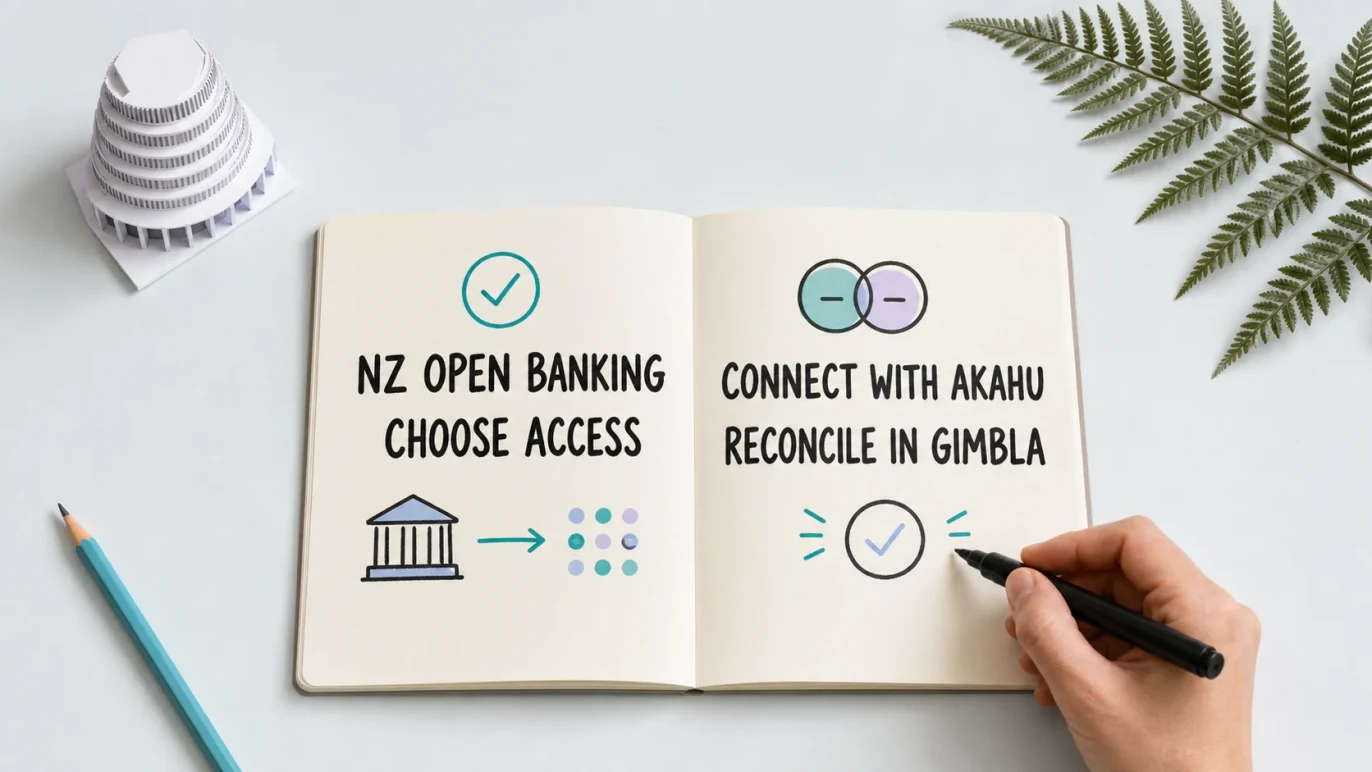
Open Banking in New Zealand now has a regulated foundation. For a small business, however, the useful question is not only how bank data can be shared. It is what happens after that data reaches the accounting software.
Gimbla uses Akahu for New Zealand bank feeds. You authorise an Akahu connection, map each available external account to the matching bank account in Gimbla, and settled transactions flow into reconciliation. Gimbla then looks for an existing invoice, bill or transfer before a bank rule is considered. You review the suggestion and confirm the result.
There is one important New Zealand nuance: regulated Open Banking and an Akahu connection are not always the same thing. Akahu uses regulated bank APIs where they are available and suitable, while continuing to support classic connections for institutions, account types and business-access situations that are not yet covered.
New Zealand Open Banking governs consented data sharing. Akahu provides the connection. Gimbla turns settled bank transactions into reviewed bookkeeping.
Quick answer
New Zealand’s regulated Open Banking system began on 1 December 2025 as the first sector covered by the Consumer Data Right. It sets rules for sharing specified banking data and initiating specified actions with a customer’s authorisation.
Akahu appears on the Ministry of Business, Innovation and Employment’s participant register as an accredited requestor permitted to act as an intermediary for customer data and payments. Gimbla’s current Akahu bank-feed workflow uses the account and transaction data side of that capability; reconciliation does not initiate payments.
After you connect and map an account, Gimbla downloads settled transactions daily. The date, amount, description and Akahu transaction identifier become feed lines that Gimbla can compare with your accounting records. You still decide whether the suggested match or coding is correct.
Key points
- New Zealand’s regulated Open Banking rollout is phased, so coverage still depends on the bank, account, customer and use case.
- Akahu is an accredited requestor, but it also supports classic connections outside the regulated system.
- Gimbla does not store login credentials entered directly into Akahu.
- Gimbla imports settled transactions daily; pending transactions appear after they clear.
- Reconciliation checks existing records before using a bank rule and leaves the final decision to you.
Open Banking, Akahu and reconciliation are different layers
The four layers solve different parts of the journey from bank account to accurate books.
| Layer | What it does | What it does not do |
|---|---|---|
| New Zealand Consumer Data Right | Sets the legal framework, standards and customer-authorisation rules for regulated Open Banking. | Does not decide how a bank transaction belongs in your accounts. |
| Akahu connection | Connects permitted account data through a regulated API where possible or a classic connection where needed. | Does not mean every New Zealand bank, account type or business login has identical support. |
| Gimbla bank feed | Imports settled transaction data into the mapped Gimbla bank account. | Does not turn every bank line into a complete accounting record on its own. |
| Gimbla reconciliation | Suggests existing records, transfers or bank-rule coding for you to review and confirm. | Does not replace invoices, bills, receipts, GST evidence or human judgement. |
What changed when regulated Open Banking began in New Zealand?
The Customer and Product Data Act 2025 created New Zealand’s Consumer Data Right framework. Banking regulations then specified the first data holders, data types, actions and operational requirements. MBIE’s Open Banking regulations overview explains the current scope and rollout.
ANZ, ASB, BNZ and Westpac entered the first regulated phase on 1 December 2025. Kiwibank’s regulated payment-action phase began on 1 June 2026, while its account-information phase is scheduled for 1 December 2026. Other deposit takers can opt in.
Those dates do not mean every business account works in the same way. Current coverage can depend on the account, the bank’s digital access arrangements and who has authority to consent for the business. That is why the connection screen—not a static list in an article—is the best place to check what is available for your organisation today.
How Gimbla connects a New Zealand account through Akahu
The connection starts in Settings → Integrations → Akahu in Gimbla:
- Choose Connect. Gimbla sends you to Akahu’s authorisation journey.
- Authorise the connection. Follow the Akahu and bank steps shown for your institution and account type.
- Return to Gimbla. Gimbla retrieves the accounts made available under that authorisation.
- Map each account. Link the external Akahu account to the corresponding bank or credit-card account in Gimbla.
- Save the mapping. That Gimbla account can now request its settled transaction feed.
Gimbla requests an enduring data-sharing consent so the feed can continue without a fresh connection for every download. Enduring does not mean irreversible. You can add another consent, remove an account authorisation, disconnect the integration or manage the underlying access through Akahu.
The account mapping is a small but important control. A transaction account should map to the same account in your chart and reconciliation screen; otherwise, correct bank data can land in the wrong accounting ledger.
Regulated Open Banking and classic Akahu connections are not identical
For a dedicated regulated connection, authentication happens between you and the bank. Akahu receives the data permitted under your consent without asking Gimbla to handle your internet-banking password.
New Zealand’s rollout is still developing, particularly across institutions, business accounts and delegated access. Akahu explains that it uses regulated Open Banking connections where possible while maintaining classic connections for coverage outside that system. In a classic journey, Akahu may handle connection credentials or another institution-specific authentication step.
The practical privacy point is the same in Gimbla: Gimbla does not store credentials you provide directly to Akahu. Akahu handles those details, while Gimbla receives the account and transaction information you authorised for the integration. Read the Gimbla privacy policy and Akahu’s safety information before connecting if you want to understand the respective roles and controls.
Avoid treating “connected through Akahu” as proof that a specific account uses the regulated route. Review the authorisation screen for the bank, account and connection method in front of you.
What an Akahu bank feed imports into Gimbla
Gimbla requests settled transactions from the mapped Akahu account. Pending card activity is separate and normally reaches Gimbla after it clears.
For each settled feed line, Gimbla keeps the available posting date, amount, description and Akahu transaction identifier. It can follow Akahu’s pagination to collect more than one page of transactions. Cleared transactions are downloaded daily, and you can request up to six months of older available feed data when needed.
The Akahu transaction identifier helps Gimbla recognise the same feed line when download periods overlap. That protects against ordinary duplicate feed entries because an existing provider transaction is updated rather than inserted again. It is not a reason to skip review: a previously imported CSV line uses a different identity, and a provider may occasionally issue a new identifier after a material transaction change.
This connection is deliberately narrower than online banking. Gimbla’s bank-feed route imports account and transaction data for bookkeeping. It does not use reconciliation to make payments or give Gimbla general control of your bank account.
How Gimbla implements Akahu transactions in reconciliation
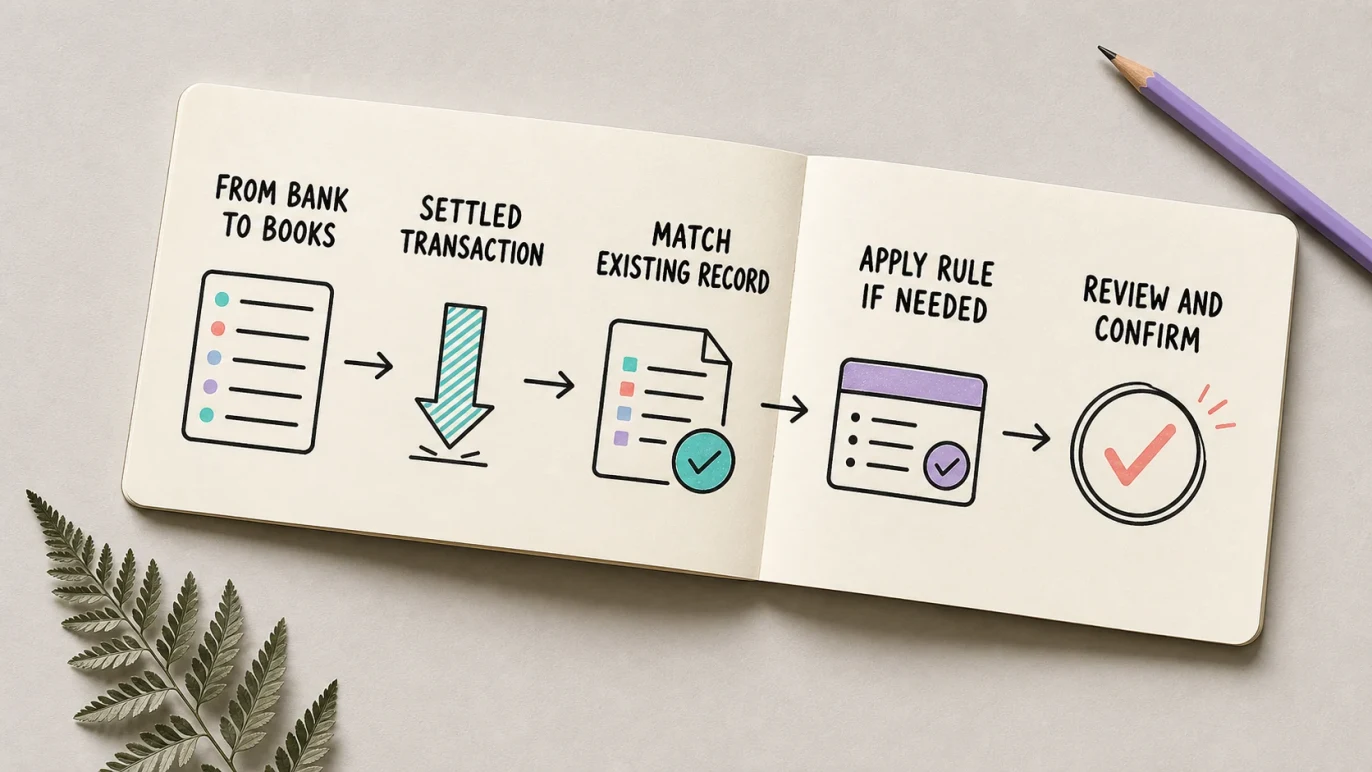
An unreconciled feed line becomes a task. Gimbla then looks for the most defensible explanation in this order:
- Existing invoices and bills. An exact amount is the starting point. An invoice number, reference, contact name and nearby date can make a suggested match stronger.
- Existing transfers. Gimbla looks for a corresponding transfer amount and nearby date so money moved between business accounts is not mistaken for revenue or an expense.
- Bank rules. If no suitable existing record explains the line, a rule can prefill a recurring receipt, payment or transfer.
- Manual review. You can choose another record, create the missing transaction, record a transfer, adjust the treatment or leave the task unresolved while you investigate.
Checking existing records first matters. A bank rule should not create a second expense when a supplier bill already exists, and a transfer should not become income in one account and an expense in another.
The user remains the final control. Check the contact, account, GST treatment and source document, then confirm the task. The Gimbla bank reconciliation guide walks through the Match and Create workflow.
Simple example
A New Zealand consultancy receives NZ$1,150 with INV-208 in the bank description. The Akahu feed brings the settled deposit into Gimbla. Gimbla finds an open customer invoice for the same amount and uses the invoice reference to strengthen the suggested match. The owner checks the customer and confirms it, so the invoice is paid and the bank line is reconciled.
The same feed includes a NZ$57.50 recurring software debit. There is no existing bill or transfer, so a bank rule suggests the usual software-subscription account. The owner checks the tax invoice, business purpose and GST treatment before creating and reconciling the expense. Akahu supplied the bank movement; the invoice, rule and review supplied the accounting meaning.
What to check before confirming a feed task
A useful suggestion is still a suggestion. Before confirming, check:
- the mapped Gimbla bank account
- the transaction date, amount and description
- the customer, supplier or other party
- whether the payment is full, partial, combined or net of a fee
- the invoice, bill, receipt or other supporting record
- the account category and GST treatment
- whether the movement is business, private or mixed use
- whether the same date range was already imported from a statement file
New Zealand businesses still need source records that explain their income and expenses. A bank line proves money moved; it does not by itself prove what was purchased, whether GST can be claimed or who approved it.
What happens if Akahu access stops?
You can revoke access, an authorisation can become unusable, or a bank can stop making a particular account available. When Gimbla can no longer retrieve the mapped Akahu account, it reports the connection problem and asks you to reconnect or review the setup.
Disconnecting the live feed does not erase accounting records or statement lines already imported into Gimbla. Finish reviewing any open tasks, reconnect if you want future transactions to continue, and remap the account if the replacement authorisation presents it as a new connection.
A practical routine for New Zealand bank feeds
Bank feeds work best with a short, repeatable bookkeeping habit:
- review new feed tasks at least weekly
- match invoices, bills and transfers before creating new transactions
- check bank-rule suggestions rather than accepting them automatically
- investigate unusual, split, duplicated or missing amounts
- retain the supporting invoice, bill or receipt
- complete the statement reconciliation and check that the difference is zero
- review active Akahu connections when staff access or bank authorities change
If an account cannot be connected, Gimbla also supports uploading a bank statement. Use one clear import source for each date range and check for overlap.
Frequently asked questions
What is Open Banking in New Zealand?
Open Banking is the first regulated application of New Zealand’s Consumer Data Right. It lets customers authorise accredited providers to request specified bank data or actions under common legal, technical and security requirements.
Is Akahu part of regulated Open Banking in New Zealand?
Akahu is an accredited requestor and can use regulated Open Banking where the bank, account and use case are supported. Akahu also offers classic connections for institutions or situations outside the regulated system, so an Akahu connection is not automatically a regulated connection.
Does Gimbla store my bank password when I connect through Akahu?
Gimbla does not store credentials that you provide directly to Akahu. The authorisation and any connection credentials are handled by Akahu. The exact experience depends on whether the account uses a regulated bank flow or a classic Akahu connection.
Which New Zealand bank accounts can connect?
Coverage changes as regulated Open Banking expands and institutions update their Akahu integrations. It can also differ between personal and business access. Start the Akahu connection in Gimbla and check the current institution and account choices shown for your authorisation.
Do Akahu bank feeds reconcile transactions automatically in Gimbla?
Akahu bank feeds import settled transactions. Gimbla can suggest an invoice, bill, transfer or bank-rule treatment, but you review and confirm the result. For the broader process, read What Is Bank Reconciliation?.
In short
Open Banking gives New Zealand a regulated way to share bank data with consent, but the rollout does not yet cover every institution, account or business-access pattern. Akahu bridges that changing landscape with regulated and classic connections.
Gimbla turns the available Akahu transaction data into a controlled bookkeeping process: authorise the connection, map the account, import settled transactions, check existing records before rules, then review and reconcile. The automation removes repetitive statement handling while keeping the accounting decision visible and accountable.