- Overview
- Quick answer
- Key points
- Why HR and payroll should not live in separate spreadsheets
- What HR and payroll software should help you manage
- The compliance case for better payroll systems
- HR software makes pay day less reactive
- Payroll software connects employee costs to the books
- Payday Super raises the bar for payroll readiness
- How to choose HR and payroll software for a small business
- Common mistakes to avoid
- Where Gimbla fits
- Frequently asked questions
- Conclusion
HR and Payroll Software for Small Business
Published May 19th, 2026 | Updated June 15th, 2026 | Team Gimbla
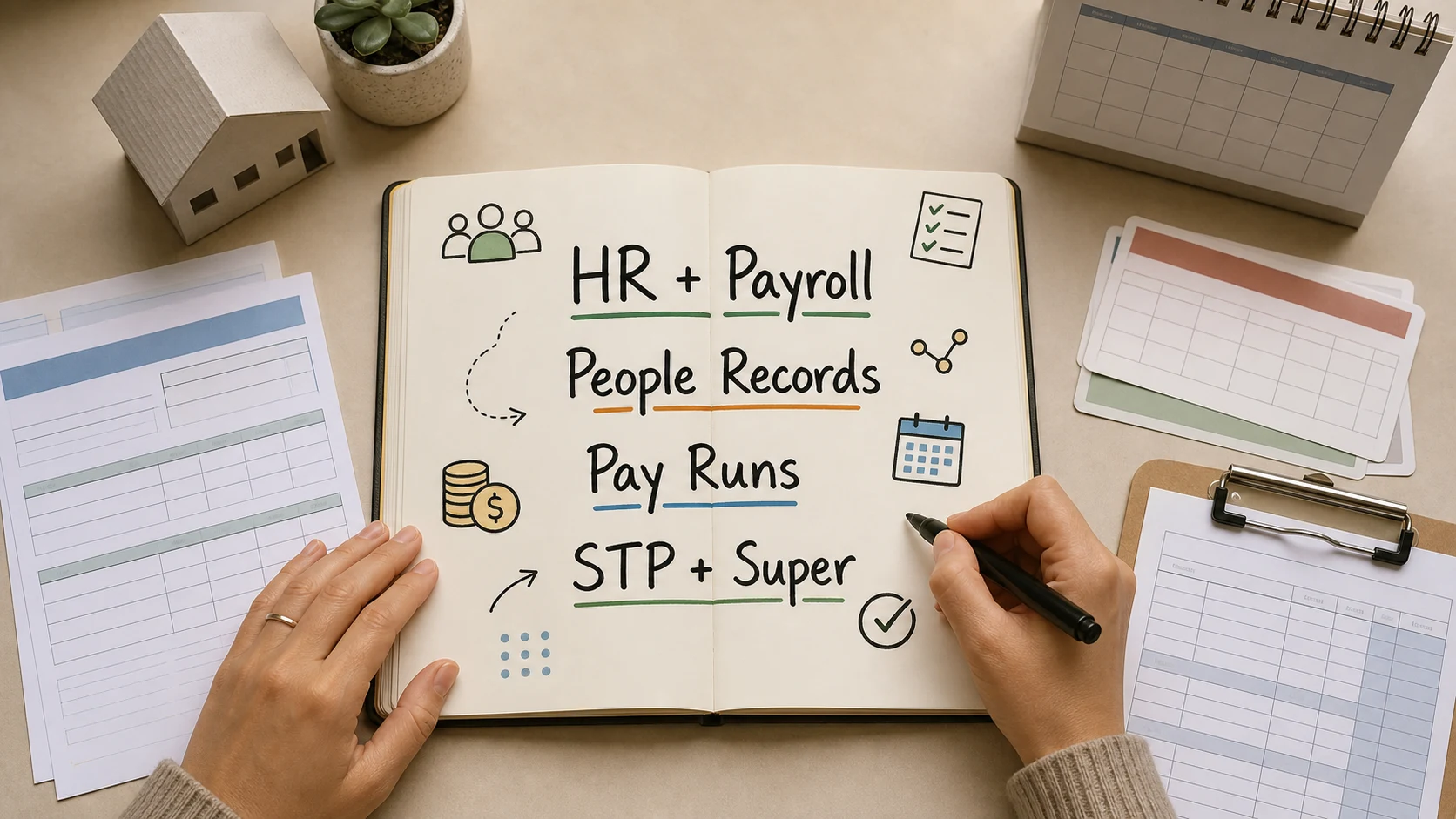
HR and payroll software matters because hiring even one employee creates a chain of records, approvals, payments and reporting obligations. A small business needs to know who works for it, when they worked, what they should be paid, what tax to withhold, what super is due, what leave has changed and what records must be kept.
Good software turns that chain into a repeatable workflow. Instead of juggling employee details in one spreadsheet, rosters in another, payslips in a folder and payroll reports somewhere else, the business can manage people records and pay runs from a single source of truth.
The real value of HR and payroll software is not just faster pay runs. It is having employee, time, leave, tax and super information line up before pay day.
Quick answer
HR and payroll software helps small businesses manage employee information, rosters, timesheets, leave, pay runs, payslips, PAYG withholding, superannuation and Single Touch Payroll (STP) reporting with fewer manual steps. For Australian employers, the business.gov.au hiring employees guide summarises the practical obligations around paying employees correctly, providing payslips, reporting through STP, paying PAYG withholding and super, and keeping the right records.
The best setup for a small business does not have to be complicated. It should make everyday work easier: onboard an employee once, collect the right details, approve hours, run payroll, issue payslips, report through STP, prepare super and keep a clear trail for the owner, bookkeeper or accountant.
Key points
- HR and payroll share the same source data: employee details, pay rates, hours, leave, bank details, tax and super information.
- Software reduces risk when it turns payroll into a reviewed workflow rather than a manual calculation exercise.
- Small businesses still need proper records, payslips, PAYG withholding, STP reporting and super processes.
- Payday Super from 1 July 2026 makes payroll and super timing more closely connected.
- Connected accounting, HR and payroll records make it easier to reconcile wages, report PAYG withholding and understand labour costs.
Why HR and payroll should not live in separate spreadsheets
In many small businesses, HR begins informally. The first employee might be managed through email, a spreadsheet and a folder of documents. That can work for a short time, but the gaps appear quickly.
An employee changes bank details. A casual staff member works an extra shift. A manager approves leave by text message. A new employee gives a super fund choice. A pay rate changes from 1 July. A bookkeeper needs payroll totals for BAS. Each event touches both HR and payroll.
When those details are scattered, the business has to re-enter the same information and hope every copy stays current. That is where mistakes come from: old pay rates, missed allowances, incomplete super details, unapproved hours, unclear leave balances and payroll journals that do not match the bank.
HR and payroll software helps by keeping the practical employment record close to the pay-run process. The goal is simple: one set of employee details feeding rosters, timesheets, leave, payroll and reports.
What HR and payroll software should help you manage
Small businesses do not need enterprise HR complexity. They need the core people and payroll work to be organised, secure and reviewable.
| Business need | HR or payroll information involved | How software helps |
|---|---|---|
| Onboarding | Employee details, TFN declaration, bank account, super fund, role and start date | Captures information once and keeps it ready for payroll |
| Rosters and timesheets | Scheduled hours, worked hours, location, manager approval and breaks | Reduces manual hour entry and gives payroll approved inputs |
| Leave | Leave requests, leave taken, accruals and balances | Keeps leave changes visible before the pay run is finalised |
| Pay runs | Pay rates, gross pay, PAYG withholding, deductions, reimbursements and net pay | Calculates payroll consistently and makes exceptions easier to review |
| Payslips and records | Pay details, tax withheld, super, leave and employee history | Keeps a traceable record for employees, owners and advisers |
| Superannuation | Super fund details, contribution calculations, payment batches and reporting | Keeps super close to the pay cycle instead of treating it as a separate afterthought |
| Accounting | Wage expense, PAYG withholding, super liabilities and bank payments | Helps payroll totals line up with BAS, reports and bank reconciliation |
This is why payroll software often has HR features such as employee self-onboarding, staff portals, rosters, timesheets, leave and document storage. In a small business, payroll accuracy depends on people data being clean before payroll starts.
The compliance case for better payroll systems
Payroll is one of the areas where small errors can become expensive or stressful. Employees notice quickly when pay is late, payslips are missing or leave balances look wrong. The business also needs records that stand up later if a question comes from an employee, adviser, the ATO or Fair Work.
The official business.gov.au employee records guide explains that employers must keep certain employment records for 7 years, including employee details, pay, deductions, hours, leave, super contributions and termination details. It also notes tax and super records generally need to be kept for 5 years, and payslips must be provided within one business day of pay day.
Software does not replace employer judgement. You still need to know the correct award, agreement, contract terms, worker type and pay rules. But software can make the required information easier to capture, review and retrieve.
For a small business, that means fewer loose ends:
- employee details are not trapped in inboxes
- approved hours are ready before payroll starts
- pay rates and recurring pay items are visible
- payslips are created as part of the pay run
- PAYG withholding and super totals can be reviewed
- STP reporting sits inside the payroll workflow
- payroll reports are available when the bookkeeper prepares the accounts
HR software makes pay day less reactive
Pay day becomes harder when payroll is used to fix every upstream problem. Missing timesheets, unclear rosters, late leave requests and incomplete employee details all land on the person running payroll.
HR tools reduce that pressure by moving the work earlier in the cycle. A practical weekly payroll rhythm might look like this:
- Employees submit timesheets before the cut-off.
- Managers review and approve hours.
- Leave and roster changes are checked.
- Payroll starts from approved information rather than guesswork.
- The pay run reviewer checks exceptions before approval.
- Payslips, STP reporting and payroll reports are completed after the pay run.
Gimbla supports this kind of workflow with guides for creating an employee, employee rostering, and submitting and approving timesheets. Those steps are not just admin. They are the controls that make pay day calmer.
Payroll software connects employee costs to the books
Payroll is not only an HR task. It affects cash flow, bank reconciliation, BAS, PAYG withholding, super liabilities and profit reports.
For example, a fortnightly pay run may create:
- wage and salary expenses
- PAYG withholding liabilities
- superannuation liabilities
- deductions or reimbursements
- bank payments to employees
- employer costs that need to appear in reports
If payroll is separate from accounting, someone has to move those totals accurately. If payroll sits closer to the accounting records, the business has a better chance of matching payroll reports to the bank account and financial statements.
That connection is especially useful for owners who want to understand labour cost by week, job, location or project. Payroll information is not just a compliance record. It is also a practical management signal.
Payday Super raises the bar for payroll readiness
Super is becoming more tightly linked to each pay cycle. The ATO’s Payday Super guidance for software developers says that from 1 July 2026, employees’ super guarantee contributions are to be paid on payday and generally received by the super fund within 7 business days, unless an extended timeframe applies.
That change makes HR and payroll data quality even more important. Super fund details, member numbers, employee status, ordinary time earnings, contribution calculations and payment references need to be ready much closer to pay day.
Before choosing or reviewing software, ask:
- Can employee super details be collected and updated easily?
- Can the pay run show super calculations before approval?
- Can payroll reports separate wages, PAYG withholding and super clearly?
- Can super batches or payment workflows be prepared without retyping employee data?
- Can errors be identified quickly enough to avoid payment delays?
Gimbla’s Payday Super Ready page explains how more frequent super workflows are changing payroll planning for Australian small businesses.
How to choose HR and payroll software for a small business
Start with the workflow, not the feature list. A two-person consultancy, a cafe with casual staff and a trade business with apprentices do not need the same setup.
Use these checks before committing:
- Map your employee types. Identify full-time, part-time, casual, apprentices, contractors and directors before setting up payroll.
- List your pay inputs. Include rosters, timesheets, leave, allowances, overtime, reimbursements, deductions and bonuses.
- Check STP support. If you employ staff in Australia, payroll reporting needs to fit the STP workflow.
- Review record keeping. Make sure employee details, pay history, leave, super and payslips are easy to retrieve later.
- Test manager approvals. If someone approves hours or leave, the software should make that step clear.
- Connect payroll to accounting. Decide how wage expenses, PAYG withholding, super and payments will reach the books.
- Check access controls. Payroll data includes bank, tax and personal information, so permissions should be deliberate.
- Plan for growth. Choose a setup that still works when you add more employees, locations or pay cycles.
The right software should feel practical on a normal payroll week. If the setup only looks good in a demo but still leaves your team copying numbers between spreadsheets, keep asking questions.
Common mistakes to avoid
Treating HR software as optional admin
Small businesses sometimes see HR records as less urgent than payroll calculations. In practice, payroll depends on HR records. Incomplete employee details, old pay rates and unclear leave history can all create pay-run problems.
Choosing payroll software without checking the handoff to accounting
A pay run is not finished when employees are paid. The business still needs the accounting records to reflect wages, PAYG withholding, super and bank payments. Check the handoff before the first live pay run.
Letting timesheets arrive after payroll starts
Payroll slows down when hours are still being chased. Set a timesheet cut-off, make the approval owner clear and keep exceptions visible.
Forgetting employee self-service
Self-onboarding and staff portals can reduce repetitive admin. They also help employees update details, submit timesheets and check information without every request going through the owner.
Buying for today’s smallest version of the business
The first employee may be simple. The fifth employee may bring rosters, locations, leave requests, allowances, super details and more review work. Choose software that can grow without forcing a messy migration too soon.
Where Gimbla fits
Gimbla is built for small businesses that want accounting and payroll to stay close together. Single Touch Payroll supports the pay-run side, while employee setup, timesheets, rosters and payroll reporting help keep the people data connected to the numbers that later appear in the accounts.
That matters because a payroll system should not create more bookkeeping work. When payroll, bank reconciliation, BAS reporting and business records sit in the same broader workflow, owners and advisers can spend less time untangling data and more time checking the decisions that matter.
If you are still mapping the broader payroll workflow, start with payroll for small business in Australia, then compare payroll-only software if you mainly need pay runs rather than full accounting. If your shortlist includes a deeper workforce platform, use the Gimbla vs Deputy comparison to weigh accounting against advanced rostering. For the payroll terms behind the setup, see Single Touch Payroll (STP), PAYG Withholding and Superannuation Guarantee.
Frequently asked questions
Does a small business need HR and payroll software?
Not every small business needs a large HR platform, but every employer needs a reliable way to manage employee details, hours, leave, payslips, STP, PAYG withholding, super and records. Software becomes more valuable as soon as the business has repeat pay cycles, casual hours, leave, rosters or a bookkeeper who needs clean payroll reports.
What is the difference between HR software and payroll software?
HR software usually manages employee records, onboarding, rosters, timesheets, leave, documents and staff workflows. Payroll software calculates wages, deductions, PAYG withholding, super, net pay, payslips and STP reporting. In a small business, the two areas overlap because payroll depends on accurate employee and time records.
Can HR and payroll software help with compliance?
Yes, if it supports the right workflow and the business uses it properly. Software can store records, create payslips, report STP, track leave, prepare payroll reports and reduce manual entry. It does not decide the correct employment arrangement, award, pay rate or legal interpretation for you, so owners should still get advice where needed.
What should I set up first?
Start with accurate employee records, pay items, super details, leave settings, locations or rosters, and timesheet approval rules. Once those inputs are reliable, pay runs become easier to review and payroll reports are more useful for accounting.
Conclusion
HR and payroll software is important because it gives a small business one reliable workflow for people, time, pay and records. It reduces manual re-entry, makes pay day easier to review, keeps payroll closer to accounting and helps the business prepare for changes such as Payday Super.
The practical test is simple: can the software help you onboard an employee, approve their hours, run payroll, issue payslips, report STP, prepare super and explain the numbers later? If the answer is yes, it is doing the work small business payroll software should do.