- Overview
- Quick answer
- Key points
- What to include on a useful purchase order
- Purchase order, receipt and invoice are different records
- How three-way matching catches exceptions
- Simple example
- Common purchase-order mistakes
- The Gimbla bridge from order to bill
- Practical purchase-order workflow
- Frequently asked questions
- Conclusion
From Purchase Order to Supplier Bill: A Practical Australian Workflow
Published August 3rd, 2026 | Team Gimbla
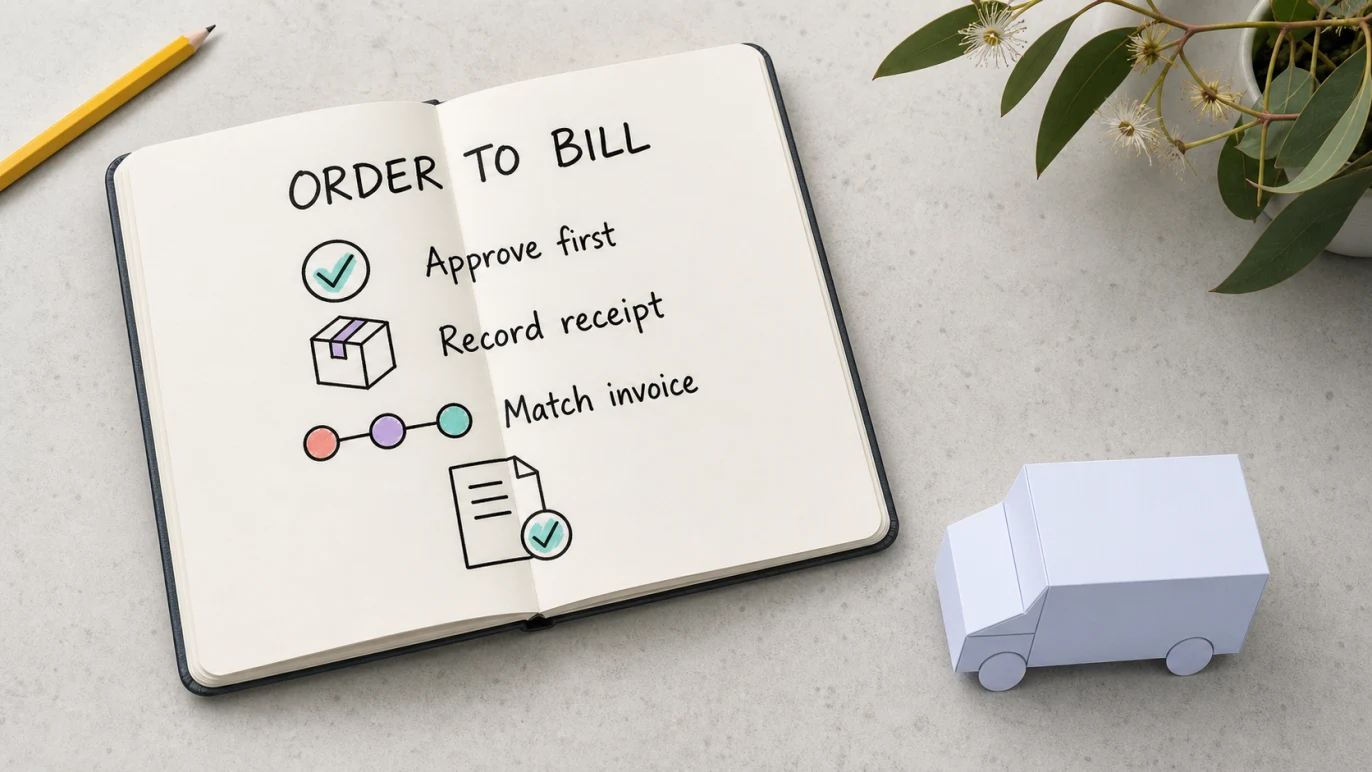
A purchase order records what an Australian business agrees to buy before the supplier sends an invoice. The useful workflow is not simply making a PDF: request the purchase, approve it, send the order, record what arrives, compare the supplier invoice, create the bill and then pay it.
That sequence gives the owner or accounts team evidence for three separate questions: was the spending authorised, did the business receive what it ordered, and is the supplier billing the agreed quantity and price?
A purchase order controls the commitment; the supplier bill records the amount owed after the order and receipt have been checked.
Quick answer
Use this seven-step purchase-order workflow:
- Request: describe what the business needs and why.
- Draft: prepare the supplier, delivery, quantity, price, GST and terms.
- Approve: have the right person authorise the commitment.
- Send: give the supplier the approved PO and reference number.
- Receive: record what goods or services actually arrived.
- Match: compare the PO, receipt and supplier invoice.
- Bill: create or approve the supplier bill, then schedule payment.
The definition is covered in Gimbla’s purchase order glossary. This article focuses on the work around it: fields, approvals, matching, exceptions and the bridge into accounts payable.
Key points
- Raise and approve the purchase order before placing the order where practical.
- Use one unique PO number across supplier communication, receipt evidence and the invoice.
- Record actual quantities received instead of automatically accepting the ordered quantity.
- Hold mismatched invoices for review rather than changing the purchase order to make them fit.
- Convert the reviewed order into a supplier bill only after the invoice and receipt evidence agree.
What to include on a useful purchase order
| PO field | What to record | Why it helps later |
|---|---|---|
| Buyer | Legal or trading name, contact and ABN where relevant | The supplier knows who is ordering and billing |
| Supplier | Name, contact, ABN and approved payment details | Reduces wrong-supplier and duplicate-record risk |
| PO reference | Unique number, order date and requester | Links the order, receipt, invoice and later query |
| Delivery | Address, requested date and contact | Clarifies where and when performance is expected |
| Line items | Description, quantity, unit price and discount | Creates the detail needed for matching |
| Tax and totals | GST-exclusive amount, GST treatment and total | Helps compare the later tax invoice and bill |
| Terms and approval | Payment terms, conditions and authorised approver | Shows the commitment was reviewed before ordering |
Before placing a material order, check that the supplier record belongs to the real business. Business.gov.au’s supplier guidance recommends checking supplier reliability, confirming the business on the Australian Business Register and agreeing on a standard ordering process.
Purchase order, receipt and invoice are different records
| Record | Created by | Main question |
|---|---|---|
| Purchase order | Buyer | What did we authorise and agree to buy? |
| Goods or service receipt | Buyer or receiver | What actually arrived or was completed? |
| Supplier invoice | Supplier | What is the supplier asking us to pay? |
| Supplier bill | Buyer records it in accounting software | What approved amount do we now owe? |
A purchase order is not a tax invoice and does not by itself support every GST credit claim. Keep the supplier’s valid tax invoice with the bill and payment trail where required.
How three-way matching catches exceptions
Three-way matching compares four details across the order, receipt and invoice:
- supplier and PO reference
- item or service description
- quantity
- unit price, discount and total
The NSW Independent Commission Against Corruption says a first step in detecting accounts-payable fraud is matching purchase orders to invoices and checking that goods or services were actually provided. Its accounts management guidance also flags missing or incorrect order references and invoices dated before the order or delivery as reasons for further review.
Not every difference is fraud. Partial deliveries, approved substitutions, freight, price variations and deposits can all create legitimate exceptions. The control is to explain and approve the difference before payment, not to force every record to match by editing history.
Simple example
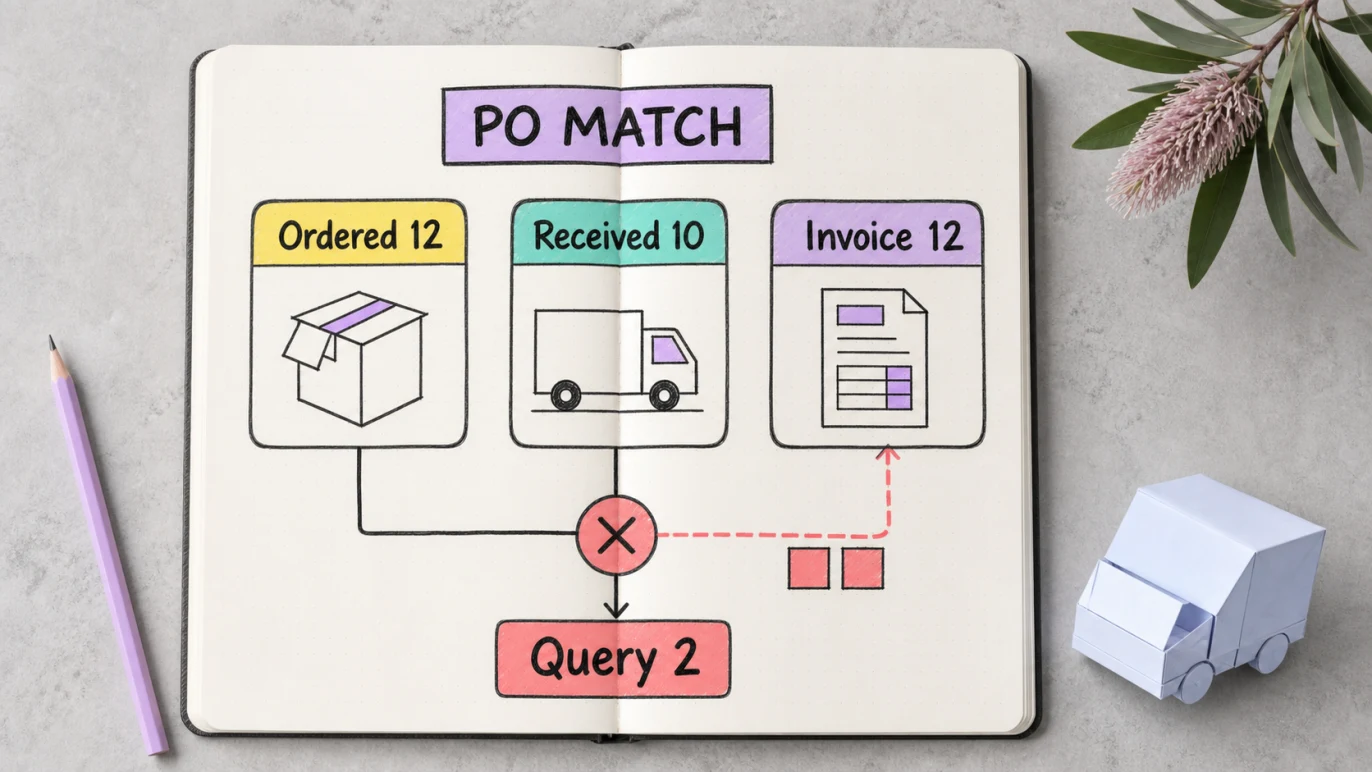
A small office orders 12 chairs at $180 each, excluding GST. Only 10 arrive, but the supplier invoice charges for all 12. The PO and invoice agree with each other; the receipt record does not.
| Match record | Quantity | Ex GST | Inc GST |
|---|---|---|---|
| Purchase order | 12 chairs | $2,160 | $2,376 |
| Goods received | 10 chairs | $1,800 | $1,980 |
| Supplier invoice | 12 chairs | $2,160 | $2,376 |
| Unmatched amount to query | $396 | ||
The business should not approve $2,376 merely because the invoice matches the original PO. It can wait for the remaining two chairs, ask for a corrected invoice, or document an approved partial-billing arrangement. If the supplier corrects the invoice to 10 chairs, the reviewed bill is $1,980 including GST.
Common purchase-order mistakes
Raising the PO after the invoice arrives
A retrospective PO may make the paperwork look complete, but it did not control the spending decision. Record genuine emergencies transparently and review why the normal approval step was missed.
Treating approval as proof of receipt
Approval says the business may spend. It does not prove goods arrived or a service was completed. Keep a delivery record, completion note or named receiver.
Changing the PO to match an unexpected invoice
If price or quantity changed, keep the original order visible and record the approved variation. Silent edits weaken the audit trail.
Paying from an emailed bank-detail change
Verify changed supplier bank details through a trusted contact method before payment. The PO match controls quantity and price; it does not prove the bank account is genuine.
Claiming GST from the PO alone
Use the supplier’s tax invoice and the applicable GST rules. A PO is evidence of the order, not a replacement for every invoice requirement.
The Gimbla bridge from order to bill
The general best-practice workflow can include requisitions, approval limits, receiving records, tolerance rules and separate accounts-payable roles. The exact controls should match the size and risk of the business.
Gimbla’s practical software bridge is narrower and useful: save the purchase order, review what was received and the supplier invoice, then use the saved order as the starting point for the supplier bill. That avoids retyping the supplier, lines and agreed values while preserving a visible review point before the liability is created.
From there, keep the bill in accounts payable, attach the source document, schedule the payment and match the bank transaction. The bill scanner guide explains what to review when invoice details are captured from a PDF or image.
You can start a purchase order in Gimbla, then apply the receipt and invoice checks before creating the supplier bill.
Practical purchase-order workflow
- Confirm the need, budget and supplier.
- Draft the PO with a unique number, delivery details, lines, GST and terms.
- Obtain approval from the right person before ordering.
- Send the approved PO and ask the supplier to quote its number on the invoice.
- Record actual receipt, including partial or damaged deliveries.
- Match the order, receipt and invoice; resolve exceptions without rewriting history.
- Convert or enter the approved supplier bill and retain the tax invoice.
- Pay only to verified supplier details and complete bank reconciliation.
Frequently asked questions
Is a purchase order the same as an invoice?
No. The buyer issues a purchase order to confirm what it wants to buy. The supplier issues an invoice to request payment under the agreed terms, often after supply.
What details should an Australian purchase order include?
A useful purchase order includes buyer and supplier details, ABNs where available, a unique PO number, order and delivery dates, delivery address, line items, prices, GST treatment, terms and approval.
What is three-way matching?
Three-way matching compares the purchase order, the goods or services received, and the supplier invoice before a bill is approved for payment.
Can a purchase order be converted into a supplier bill?
Yes. In an accounting workflow, a saved purchase order can provide the starting details for a supplier bill after receipt and invoice checks are complete.
Conclusion
A good purchase order creates a controlled path from intent to payment. Record what was approved, what arrived and what the supplier billed as separate facts. When those facts agree—or a difference has been explained and approved—the order can move into accounts payable with a much stronger audit trail.