- Overview
- Quick answer
- Key points
- What changed for July 2026
- Who should review a July pay run
- Payroll deductions are not just one number
- Simple example
- TD1 details to review
- Remittance records to keep
- What not to do
- How Gimbla fits the bookkeeping workflow
- July payroll review steps
- Frequently asked questions
- In short
CRA July 2026 Payroll Updates: Checks After the First Pay Run
Published June 8th, 2026 | Updated July 30th, 2026 | Team Gimbla
If your business has processed a Canadian payroll dated 1 July 2026 or later, review it before the related deductions are remitted. The Canada Revenue Agency (CRA) published the 123rd edition of T4127 for July, and its Payroll Deductions Online Calculator (PDOC) now applies the changes to post-June pay dates.
For small businesses, the practical job is not to rebuild the formulas. Confirm the payroll provider or tool was current, check employee TD1 details and province of employment, compare CPP, EI and income tax deductions, then keep any correction, remittance and bookkeeping records clear.
The first July pay run is the control point. Compare the payroll report, employee payments and liability balances before remitting the deductions.
Quick answer
The CRA’s Payroll Deductions Formulas - 123rd Edition is effective 1 July 2026. It covers federal, provincial except Quebec, and territorial income tax formulas, Canada Pension Plan (CPP) contributions and employment insurance (EI) premium deductions.
The July 2026 update is most visible for employers with employees in British Columbia, Newfoundland and Labrador, and Prince Edward Island. T4127 is written for payroll software providers and organisations that develop in-house payroll solutions. Most small employers should verify that their provider is current or use PDOC and current CRA tables rather than trying to reproduce the formulas.
Key points
- Review the first completed July pay run instead of assuming the payroll tool applied the update.
- Use a current payroll provider, PDOC or CRA tables; use T4127 directly only if you develop an in-house payroll solution.
- Check whether any employee works in British Columbia, Newfoundland and Labrador, Prince Edward Island, Quebec, or outside Canada.
- Review TD1 details and claim codes before relying on old payroll settings.
- Keep gross pay, deductions, net pay, employer contributions and remittances traceable; do not record employee deductions as business income or ordinary expenses.
What changed for July 2026
The CRA says the July T4127 guide reflects income tax changes that, if enacted as proposed, would apply from the July effective date. It also says updates are highlighted in grey boxes in the official guide.
| Area | What to check | Practical payroll impact |
|---|---|---|
| British Columbia | Lowest personal tax rate, BC tax reduction and prorated July amounts | Review deductions for employees who report for work in BC |
| Newfoundland and Labrador | Basic personal amount increase and prorated July amount | Check claim codes and TD1NL handling in the July payroll |
| Prince Edward Island | New high-income bracket and prorated July rate | Review deductions for higher-income PEI employees |
| Quebec | CRA formulas do not cover Quebec provincial income tax, QPP or QPIP | Use Revenu Quebec guidance or a payroll provider for Quebec deductions |
| All other provinces and territories | Confirm the payroll tool still uses current CPP, EI, tax and claim-code settings | Do not assume no action is needed just because the provincial rate table is unchanged |
This article is a bookkeeping and payroll-control guide, not a substitute for CRA guidance, payroll software support or professional advice.
Who should review a July pay run
Review a July 2026 payroll if your business:
- pays employees in Canada
- has employees who report for work in more than one province or territory
- has employees in British Columbia, Newfoundland and Labrador or Prince Edward Island
- has a Quebec employee or uses a Quebec payroll workflow
- runs payroll in-house rather than through a payroll provider
- has employees with updated TD1 forms, extra tax deductions, bonuses, commissions or irregular pay
- has changed pay frequencies, employee locations or payroll software settings since January
If you use a payroll provider, confirm when its July update became effective. If you run payroll manually or through spreadsheets, compare the result with an official calculator or current table. Do not silently overwrite a completed pay run in the ledger; preserve the original report and follow the provider’s or CRA’s correction process if the review finds a difference.
Payroll deductions are not just one number
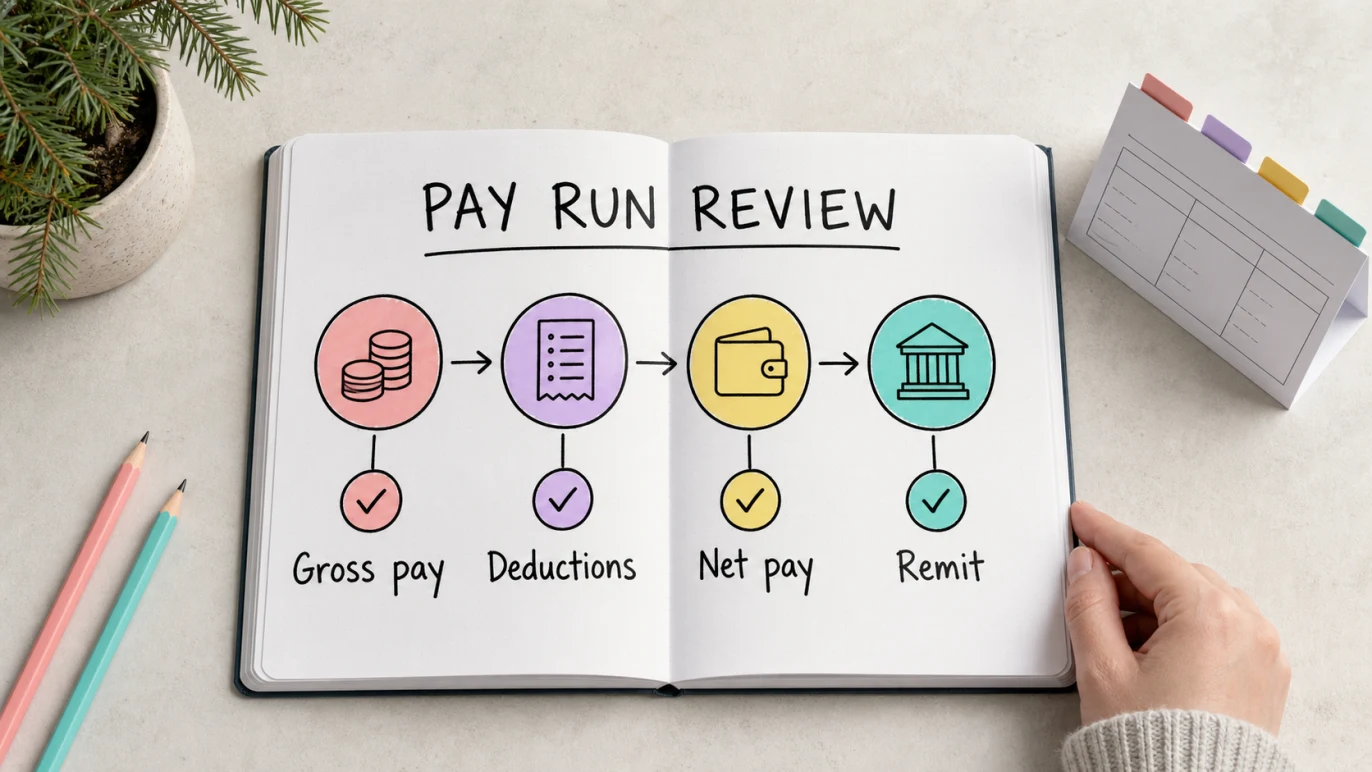
Canadian source deductions can include employee deductions and employer costs. A small-business owner should know which amount is paid to the employee, which amount is withheld, and which amount the employer must remit.
| Payroll amount | Who it affects | Where it should be visible |
|---|---|---|
| Gross pay | Employee earnings before deductions | Payroll report, statement of earnings and wage expense |
| CPP contributions | Employee deduction and employer contribution | Payroll liability, employer payroll cost and CRA remittance |
| EI premiums | Employee deduction and employer premium | Payroll liability, employer payroll cost and CRA remittance |
| Income tax withheld | Employee deduction from pay | Payroll liability and CRA remittance |
| Net pay | Cash paid to the employee | Bank payment, payroll report and reconciliation |
The CRA’s Payroll Deductions Online Calculator can calculate federal, provincial except Quebec, and territorial payroll deductions for common pay periods based on exact salary figures. The CRA also warns that the result depends on the accuracy of the information entered.
Simple example
Imagine a British Columbia cafe pays an employee every two weeks. The employee’s gross pay stayed the same in July, and the first July pay run has already been paid.
Before remitting the related deductions, the owner or payroll clerk should:
- Confirm the payroll tool used the July 2026 CRA settings for that pay date.
- Check the employee’s province of employment and TD1 details.
- Compare CPP, EI and income tax deductions with the current provider result or PDOC.
- Match the net pay in the payroll report to the employee bank payment.
- Check that wage expense, employer payroll costs and payroll liabilities were recorded clearly.
If the review finds a difference, the business should keep the original report, document the correction and use the provider’s or CRA’s correction workflow. The accounting file still needs the same trail: gross pay, deductions, net pay, employer costs and remittance.
TD1 details to review
TD1 forms tell payroll how much personal tax credit an employee claims. The CRA’s TD1 page links to 2026 federal and provincial or territorial TD1 forms for pay received on January 1, 2026 or later.
When reviewing the July pay run, check:
- the employee’s federal TD1 and provincial or territorial TD1
- whether the employee has more than one employer or payer
- whether the employee requested extra tax deductions
- whether the employee moved provinces or changed work location
- whether any disability, tuition, age, caregiver or other claim changed
- whether a new employee has provided complete information
For Newfoundland and Labrador specifically, the July 2026 CRA T4127 guide says employers do not need a new TD1NL just to change an earlier lower basic personal amount to the prorated amount. That does not remove the need to keep the employee’s actual TD1 record up to date.
Remittance records to keep
Payroll deductions become a trust and timing issue once the employer withholds them. The CRA’s Employers’ Guide - Payroll Deductions and Remittances explains that payroll deduction tables help calculate CPP contributions, EI premiums and federal, provincial except Quebec, and territorial income tax to deduct each pay period.
The same guide also explains remitter types and due dates. For regular remitters, deductions are generally due by the 15th day of the month after the month employees were paid. Quarterly and accelerated remitters have different timing, so check your CRA remitter type rather than guessing.
Keep these records together:
- payroll register or pay-run report
- employee statement of earnings or payslip equivalent
- bank payment to employees
- payroll liability account detail
- CRA remittance confirmation or payment record
- employer CPP and EI cost support
- notes for corrections, shortages, over-remittances or adjusted remittances
If your accountant asks why payroll liabilities do not match the bank payments, those records should answer the question without reconstructing the pay run from scratch.
What not to do
Avoid these July payroll mistakes:
- copying a June pay run without checking July formulas
- treating employee deductions as ordinary business expenses
- coding net pay only and losing the gross-pay and deduction trail
- forgetting employer CPP or EI costs in management reports
- using CRA federal/provincial tools for Quebec provincial deductions
- ignoring an employee’s province of employment
- missing the CRA remittance due date because payroll was reconciled late
- letting manual spreadsheet formulas drift from current CRA guidance
Payroll errors usually create both employee trust issues and bookkeeping clean-up. It is easier to review the first July pay run before remittance than to reconstruct it after the liability has cleared.
How Gimbla fits the bookkeeping workflow
Gimbla does not replace CRA payroll formulas, PDOC, a payroll provider or professional payroll advice. For Canadian employers, the useful Gimbla role is the accounting record around payroll:
- Keep bank payments visible during bank reconciliation.
- Separate gross wages, employer payroll costs and payroll liabilities in the accounts.
- Keep payroll deductions out of ordinary sales or GST/HST records.
- Review cash flow before CRA remittance dates.
- Keep supporting records close to reports for the accountant.
The Canada accounting software page is the right starting point for Canadian bookkeeping, invoices, GST/HST-aware records and reports. For local tax concepts outside payroll, the Canada Carbon Rebate bookkeeping guide shows the same principle: keep the source notice, bank movement and accounting treatment connected.
July payroll review steps
For the first completed July pay run:
- Open the payroll provider update note, PDOC or current CRA tables.
- Confirm each employee’s province or territory of employment.
- Check TD1 details and any extra tax deduction requests.
- Compare gross pay, CPP, EI, income tax, employer costs and net pay with the current calculation.
- Match the payroll report to employee bank payments and the payroll liability balance.
- Save the original report plus any correction record.
- Remit CRA deductions by the date that matches your remitter type.
- Reconcile the liability account after the remittance clears.
For businesses with employees in more than one jurisdiction, write down which source was used for each employee. That habit helps when the accountant reviews payroll records at year end.
Frequently asked questions
What changed for Canadian payroll deductions in July 2026?
The CRA published the 123rd edition of T4127, effective 1 July 2026. The July update includes provincial changes for British Columbia, Newfoundland and Labrador, and Prince Edward Island, plus updated tables and claim-code information for the second half of 2026.
Does every Canadian employer need new TD1 forms for July 2026?
Not automatically. Employees should keep their TD1 details accurate, but a new TD1 is not required for every July formula update. The CRA specifically says Newfoundland and Labrador employers do not need a new TD1NL just to change an earlier lower basic personal amount to the prorated July amount.
Can small employers use the CRA Payroll Deductions Online Calculator?
Yes. The CRA says PDOC can calculate federal, provincial except Quebec, and territorial deductions for common pay periods using exact salary figures. The input still needs to be accurate, and Quebec provincial payroll deductions need Revenu Quebec guidance.
Does Gimbla calculate Canadian payroll deductions?
No. Use CRA tools, current payroll software, a payroll provider or professional advice for Canadian payroll calculations. Gimbla can help keep the bookkeeping around payroll payments, liabilities, bank reconciliation and reports organised.
In short
The July 2026 CRA payroll changes are a prompt to review the first completed July pay run before remittance. Use current CRA guidance or a current payroll provider, check TD1 details, compare deductions, document any correction, remit on time and keep the accounting trail clear.
That gives the employer, bookkeeper and accountant one clean path from gross pay to net pay to CRA remittance.